What to write on the sign so guests add their photos

A QR code with nothing next to it gets ignored. A sign that says too much gets ignored too. The wording that works is short, says what to do, says it is quick, and says why you want it. Below is wording to copy for every place the ask appears, from the table card to the text you send the morning after.
- What should a wedding photo sharing sign say?
- Four things, briefly: the ask as a verb, how to do it, that there is no app, and one line about why. For example: Scan to add your photos from tonight. No app needed. We want to see the day the way you did.
- How long should the wording be?
- A sign read from a distance should have a headline of six words or fewer and one line under it. A table card read up close can carry two or three short lines. If it needs numbered steps, it is too long.
- Should we put a hashtag on the sign too?
- Pick one ask. A hashtag and a code on the same sign split the response, and a hashtag only reaches guests with public accounts who choose to post.
What every sign needs
Four parts, in this order. If a sign has these, it works:
- The ask, as a verb. "Add your photos", "Share your photos", "Scan to add". Not "Photo sharing" or "Our gallery".
- The how, in five words or fewer. "Scan with your camera."
- The reassurance. "No app" is the single most useful phrase you can print. Many guests expect a code to lead to a download.
- The reason. One human line. "We want to see the day the way you did."
And three things to leave off:
- Long instructions. If it needs numbered steps on the sign, the tool is too hard.
- A hashtag next to the code. Two asks split the response. Pick one.
- Tiny text under the code. Keep only the short link there, for phones that will not scan.
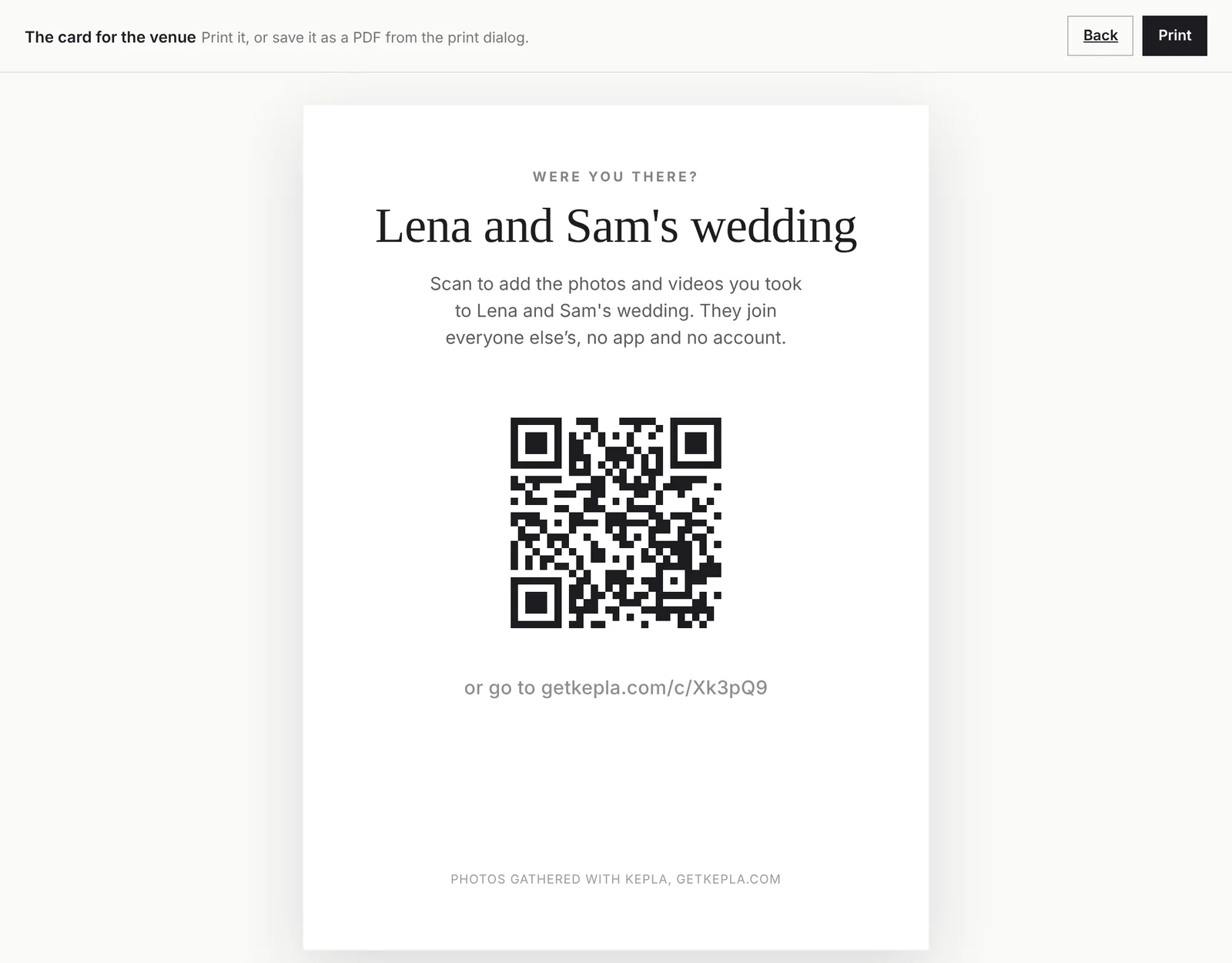
Wording for table cards
Table cards are read up close by someone sitting down, so they can carry one more line than a sign.
Simple
- Scan to add your photos from tonight. No app needed.
- Took a photo? Add it here. Scan with your camera, it takes ten seconds.
- Share what you see tonight. Scan, pick your photos, done.
Warm
- We want to see today through your eyes. Scan to add your photos to our album.
- You will catch moments we miss. Please add them here. No app, no sign up.
- Help us remember all of it. Scan and add the photos you take tonight.
Playful
- You are all hired as photographers. Scan to hand in your work.
- The dance floor photos are your job. Scan here to turn them in.
- Oh snap. Scan to add yours.
Formal
- We would be grateful if you would share your photographs of the day. Please scan to add them to our album.
- Kindly add your photographs from this evening. Scan with your phone camera. No application is required.
Wording for a welcome sign or bar sign
Signs are read from a distance and in passing. Six words or fewer for the headline, one line under it.
| Headline | Line under it |
|---|---|
| Add your photos | Scan with your camera. No app. |
| Were you there? | Scan to add the photos you took. |
| Share the night | Scan, pick your photos, done. |
| One album, everyone's photos | Scan to add yours. |
| Photos, please | Scan here. It takes ten seconds. |
At the bar, lean on the wait: "While you wait, add your photos. Scan here."
What the MC says
A spoken line reaches people a sign does not, because it comes from a person and everyone hears it at once. Give your MC, planner or best man one of these on a card:
- At dinner: "One small favour from the couple. There is a card on your table with a code. Scan it with your camera and add the photos you take tonight. There is no app, it takes ten seconds, and they will treasure them."
- Before the dancing: "The photographer cannot be everywhere, but you can. Anything you take on the dance floor, scan the code on your table and add it."
- At the end of the night: "Before you go, scan the card on your table and add your photos from tonight. You can also do it tomorrow from home, the link stays open."
Once at dinner and once later is enough. A third mention starts to sound like an advert.
Wording for messages before and after
On the wedding website or in the details email
- We are collecting everyone's photos in one album. On the day, scan the code on your table and add what you take. No app or account needed.
The morning after, to the wedding party and family chats
- Thank you for last night. If you took any photos or videos, please add them here: [link]. Full size, takes a few seconds, no app.
- Still smiling. We would love every photo you took, even the blurry ones: [link]
A few days later, the last call
- We are closing the photo album on Sunday. If you have any from the wedding still on your phone, this is the link: [link]
In the thank you note
- If you have photos from the day you have not shared yet, we would still love them: [link]
Do not skip the morning after message. The photos are at the top of every camera roll and people finally have a free minute.
Wording for parties, reunions and work events
| Event | Wording |
|---|---|
| Birthday | Got a good one of the birthday girl? Scan and add it. No app. |
| Baby shower | Add your photos for the baby book. Scan here. |
| Reunion | Old faces, new photos. Scan to add yours to the album. |
| Retirement or farewell | Add a photo from today, or an old favourite. Scan here. |
| Company event | Add your photos from today. Scan here. They are reviewed before they are shared. |
| Memorial | If you have a photograph you would like to share with the family, please add it here. |
For a company event, say on the sign that photos are looked at first, and set Who sees the photos to After I approve so that it is true. For a memorial or a surprise, consider setting the album so only you see what is added, and say so: "Only the family will see what you add."
Make the sign and the page say the same thing
The moment after the scan matters as much as the sign. If the card says "no app" and the page opens with a download banner, people leave. Scan your own code and read the page a guest lands on. With Kepla Albums it shows the album name, one line, and a button.
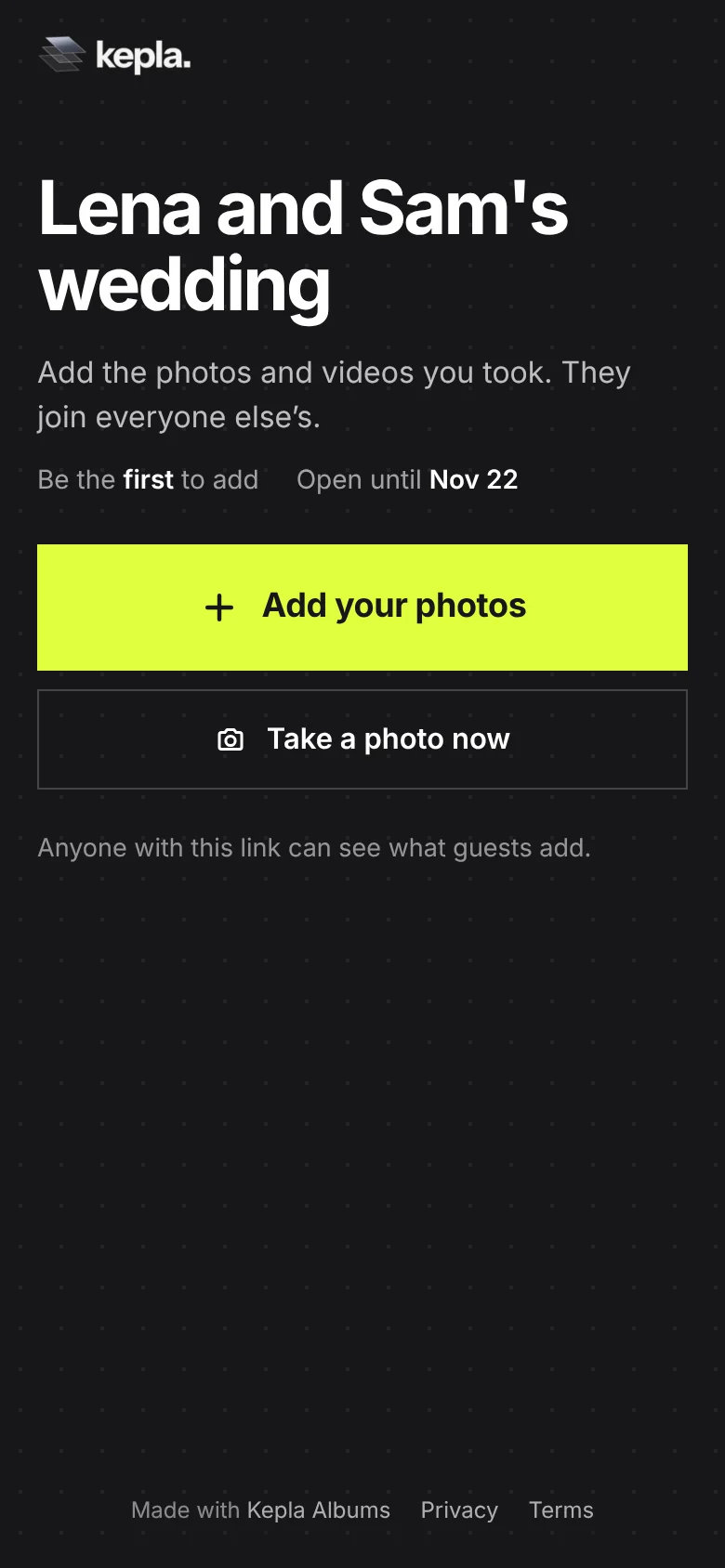
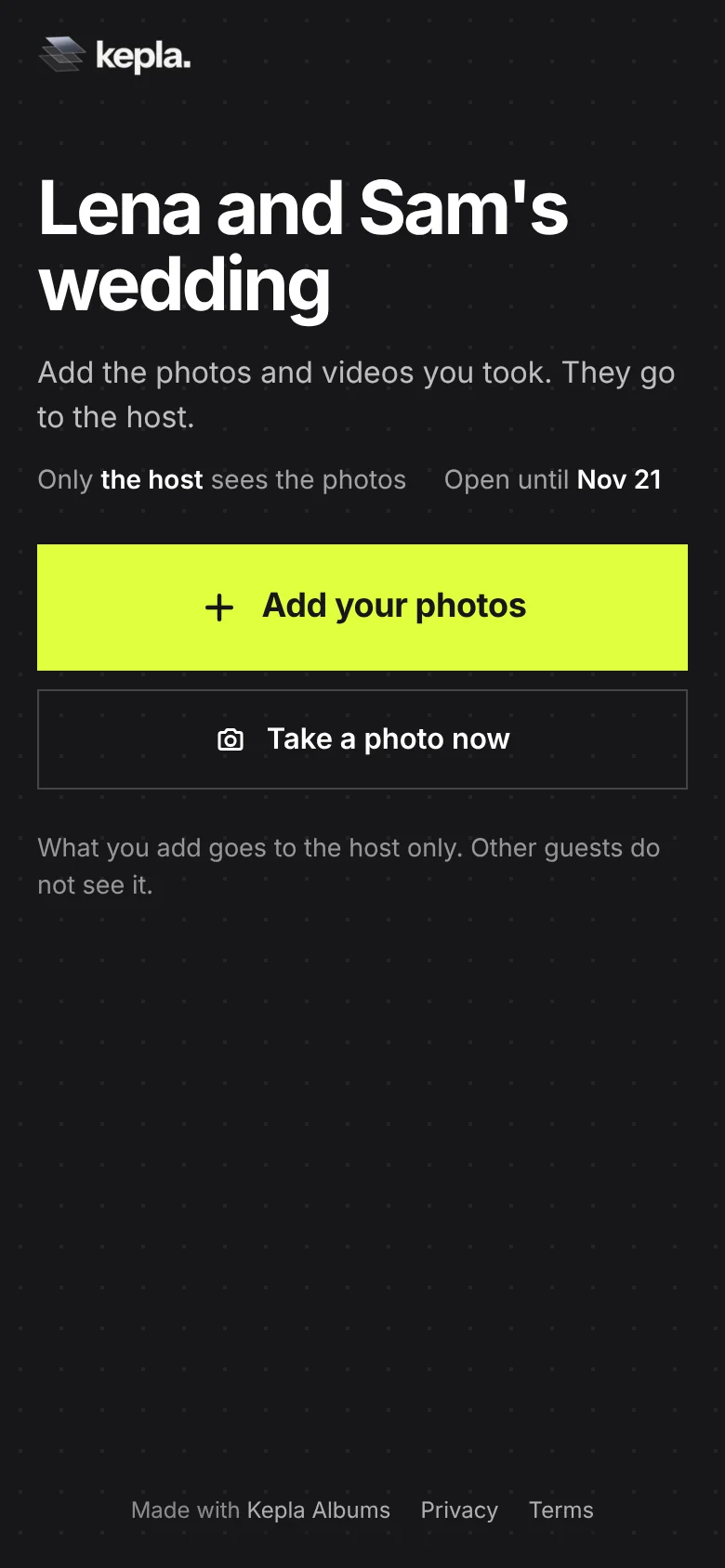
Name the album the way the sign names the event. "Lena and Sam's wedding" on the card and on the page is one clear thread. A card that says "Lena and Sam" and a page titled "Album 3" makes people wonder if they scanned the right thing.
For sizes, paper and placement, see the QR code guide. For the whole plan from setup to the week after, see how to collect photos from wedding guests.
FAQ
What should a wedding photo sharing sign say?
Four things, briefly: the ask as a verb, how to do it, that there is no app, and one line about why. For example: Scan to add your photos from tonight. No app needed. We want to see the day the way you did.
How long should the wording be?
A sign read from a distance should have a headline of six words or fewer and one line under it. A table card read up close can carry two or three short lines. If it needs numbered steps, it is too long.
Should we put a hashtag on the sign too?
Pick one ask. A hashtag and a code on the same sign split the response, and a hashtag only reaches guests with public accounts who choose to post.
Is a sign enough on its own?
No. Add a spoken mention from the MC at dinner and a message with the link the morning after. A sign is easy to miss, a person asking is not, and the next morning is when guests have time. Use all three.
What do we say to reassure guests about privacy?
Say who will see the photos. If the album is set so only you see what is added, write that on the card: only we will see what you add. If you approve photos first, say they are looked at before they are shared.
What goes under the QR code?
Only the short link, as a fallback for a phone that will not scan. Keep all other text above or beside the code and leave a clear margin around it.
Words ready. Now the code.
Make an album and print its card. Guests scan and add with no app and no account.
It stays in your saved guides on this browser. Want it in your inbox too? One email with the link now, and the next guide when it is out. No pitches, unsubscribe with a reply.