How to get everyone's photos from a party without a group chat

The party ends and the photos are scattered across fifteen phones. Someone starts a group chat, three people drop in their best six, the thread fills with reactions, and the other hundred photos never leave the phones they were taken on. Here is a setup that takes about a minute and gets you the rest.
- Why not just use a group chat for party photos?
- Chats shrink photos to send them quickly, bury them under replies, and lead people to share only a few. A shared album with a link collects the full set at full size and keeps the photos apart from the conversation.
- Do my friends need an account to add photos?
- No. With Kepla Albums they open the link or scan the code, pick photos from their camera roll and send. There is no app to install and no account, email address or phone number to give.
- Does it work for both iPhone and Android?
- Yes. The album is a web page, so it opens in the browser on any phone, tablet or laptop. Nobody needs to be in the same phone family or on the same messaging app.
What a group chat does to your photos
A chat is built for conversation. It does three things that are wrong for collecting photos:
- It shrinks them. Messaging apps resize photos so they send fast. On WhatsApp the standard setting reduces an iPhone photo to 960 by 1280 pixels, and the sender has to choose HD to keep the original 3024 by 4032, according to 9to5Mac's report on WhatsApp photo quality. Fine on a phone screen, soft when printed or cropped.
- It buries them. A photo and the twelve replies to it share one timeline. Finding the one from the cake a week later means scrolling past everything else.
- It makes people choose. Nobody posts 40 photos into a chat. They post three. The other 37 include the ones you wanted.
There is also the question of who is in the chat. A party has people who do not know each other, and adding all of them to one thread shares every phone number with everyone.
The fix: one album, one link
What works is a shared album with a link anyone can add to. The chat stays for talking. The link goes in the chat once, and the photos go to the album.
With Kepla Albums the setup is:
- Open getkepla.com/albums and sign in with your email. You get a link by email, there is no password to make.
- Press New album and name it. "Jordan's 30th" is better than "Party photos": the name is what people see when they open the link.
- Choose how long it takes photos. A week suits most parties. A day is fine for something small where everyone adds on the night.
- Press Create album. The next page has the link and the QR code on it.
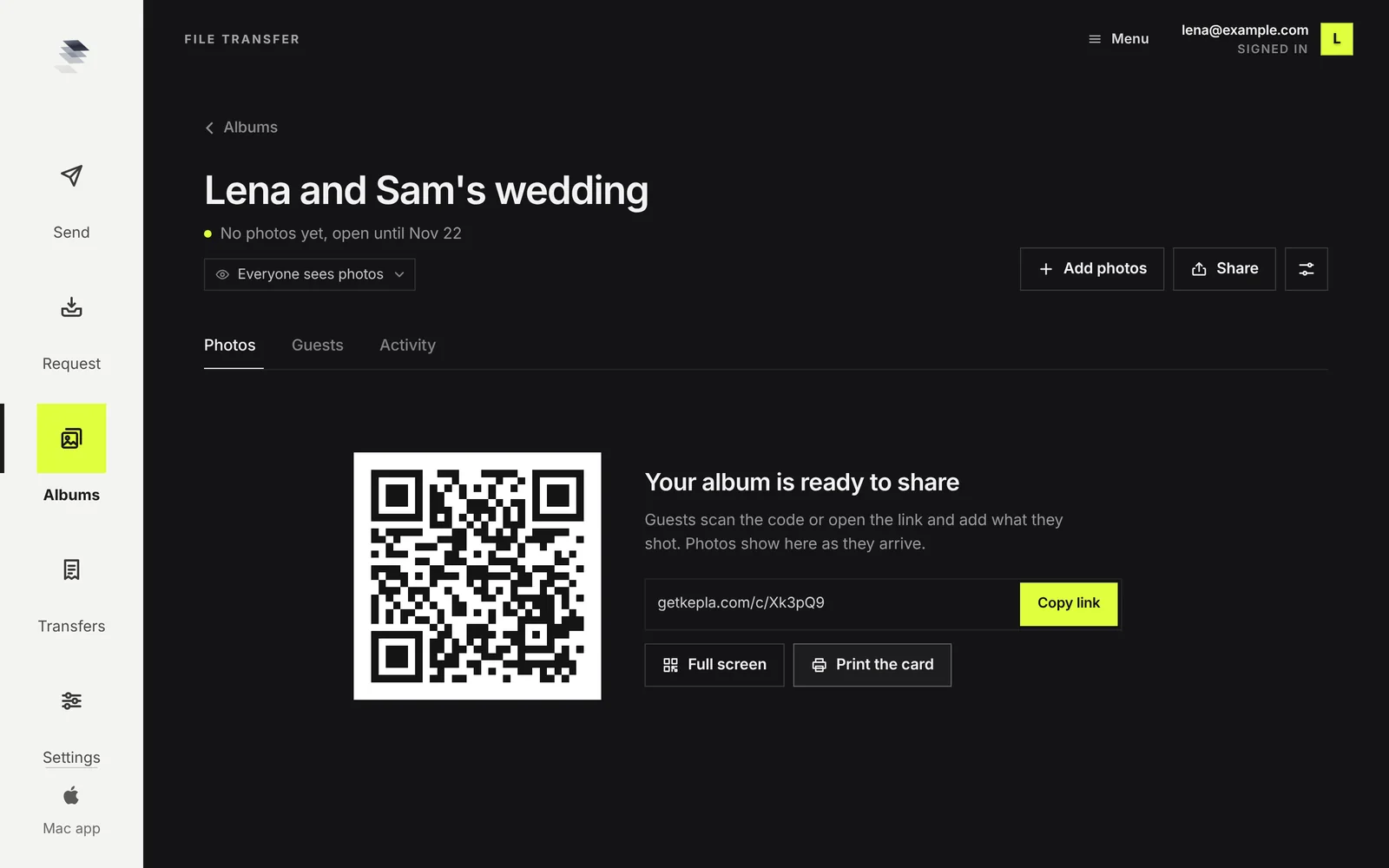
That is the whole setup. Copy the link and paste it where your guests already are.
Three ways to hand it out
1. Paste the link in the chat you already have
If there is an existing chat for the party, post the link there with one line. Something like: "Drop everything you took tonight in here, full size, takes ten seconds." People tap it and add from their camera roll.
2. Show the code at the party
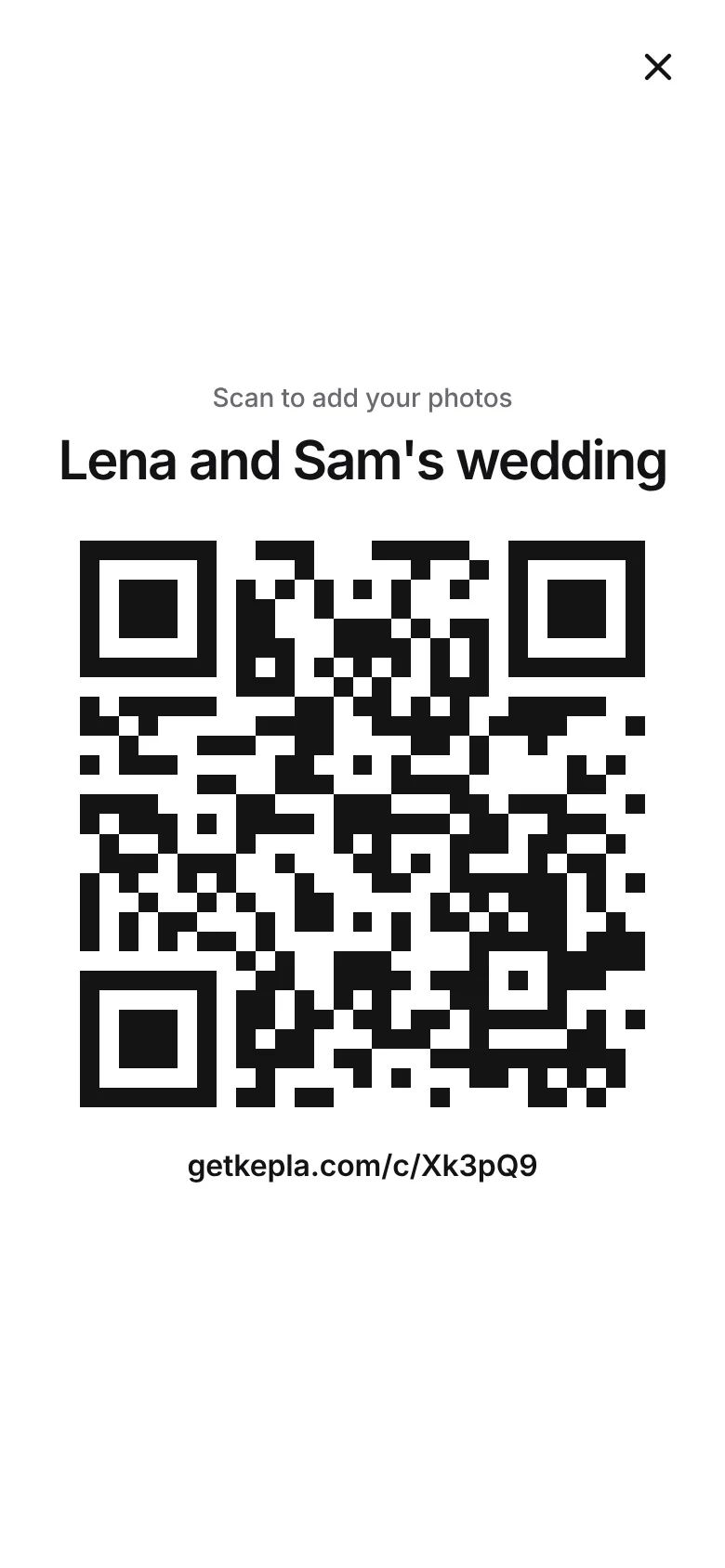
Press Full screen and the QR code fills your phone and keeps the screen awake. Hold it up when people are sitting, or prop the phone next to the drinks. Anyone can scan it with their normal camera.
3. Print one card
For a bigger party, press Print the card and leave a copy on the bar or the food table. It has the album name, the code and a short link underneath.
What it asks of your guests
Almost nothing, which is the point:
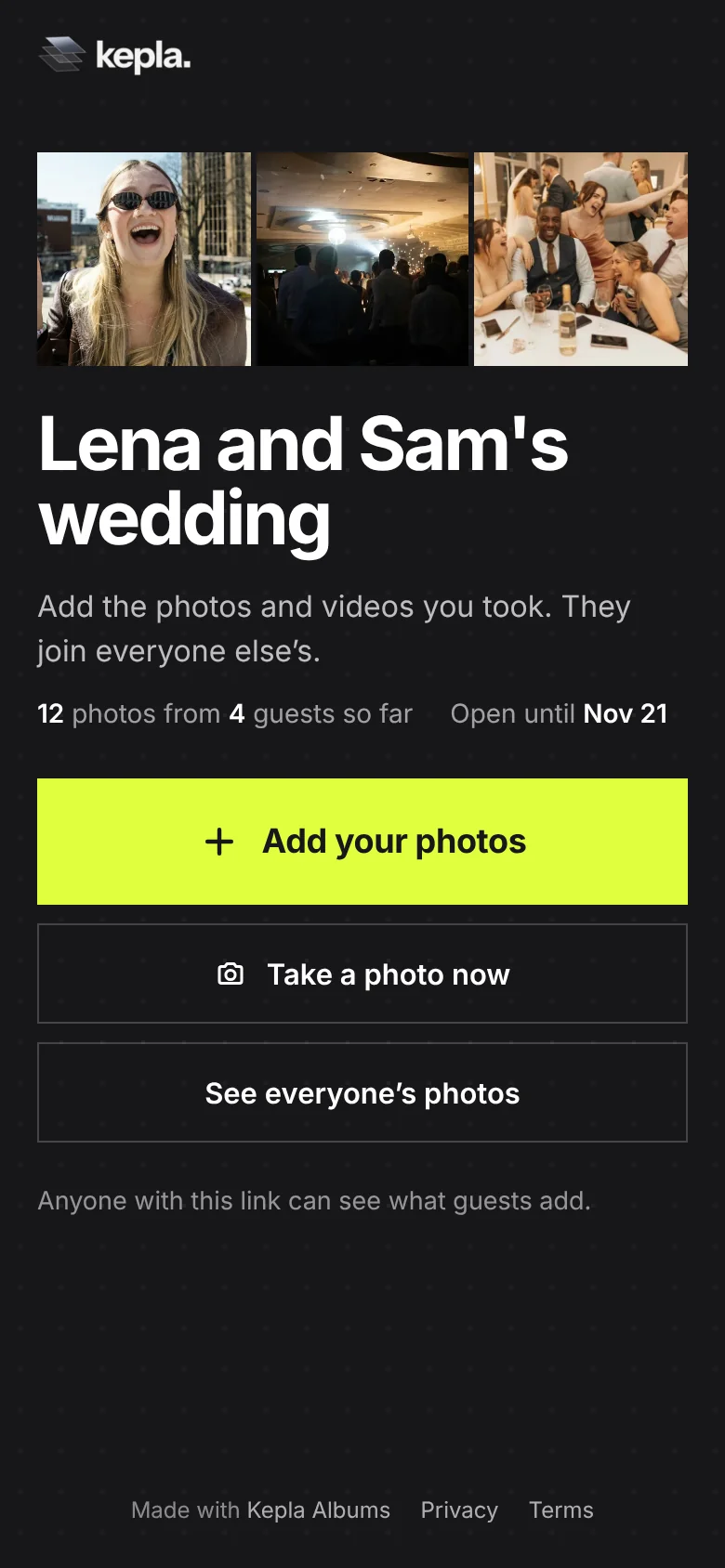
- They tap the link or scan the code. A page opens in their browser.
- They press Add your photos, pick from their camera roll and send. Up to 300 photos or videos and 500 MB at a time.
- They can type a name so you know whose photos are whose. It is optional.
No app, no account, no email address, no phone number. Works the same on an iPhone and an Android phone, and on a laptop if someone shot with a real camera and wants to add from the card.
Deciding who can see the photos
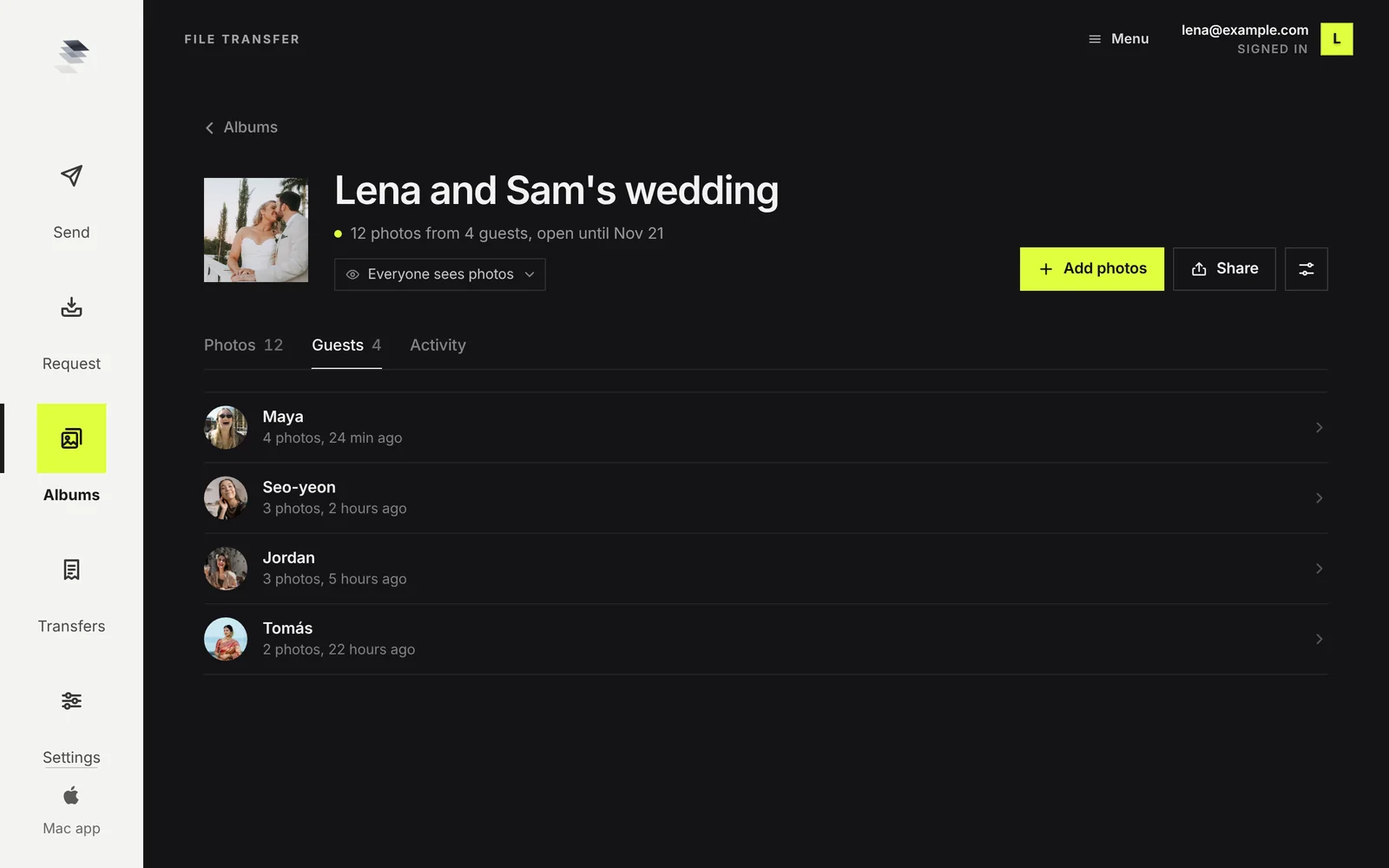
One setting covers it, Who sees the photos, and it has three answers. The album page shows the current one under the title, and you can change it right there.
- Everyone. Right for most parties: people like seeing the night from other angles, and seeing photos arrive nudges them to add their own.
- Only me. For a surprise, such as a slideshow or a photo book for the person the party was for. Guests can still add, and only you see what comes in.
- After I approve. For when the link went somewhere wide, like a community page. New photos wait for you first.
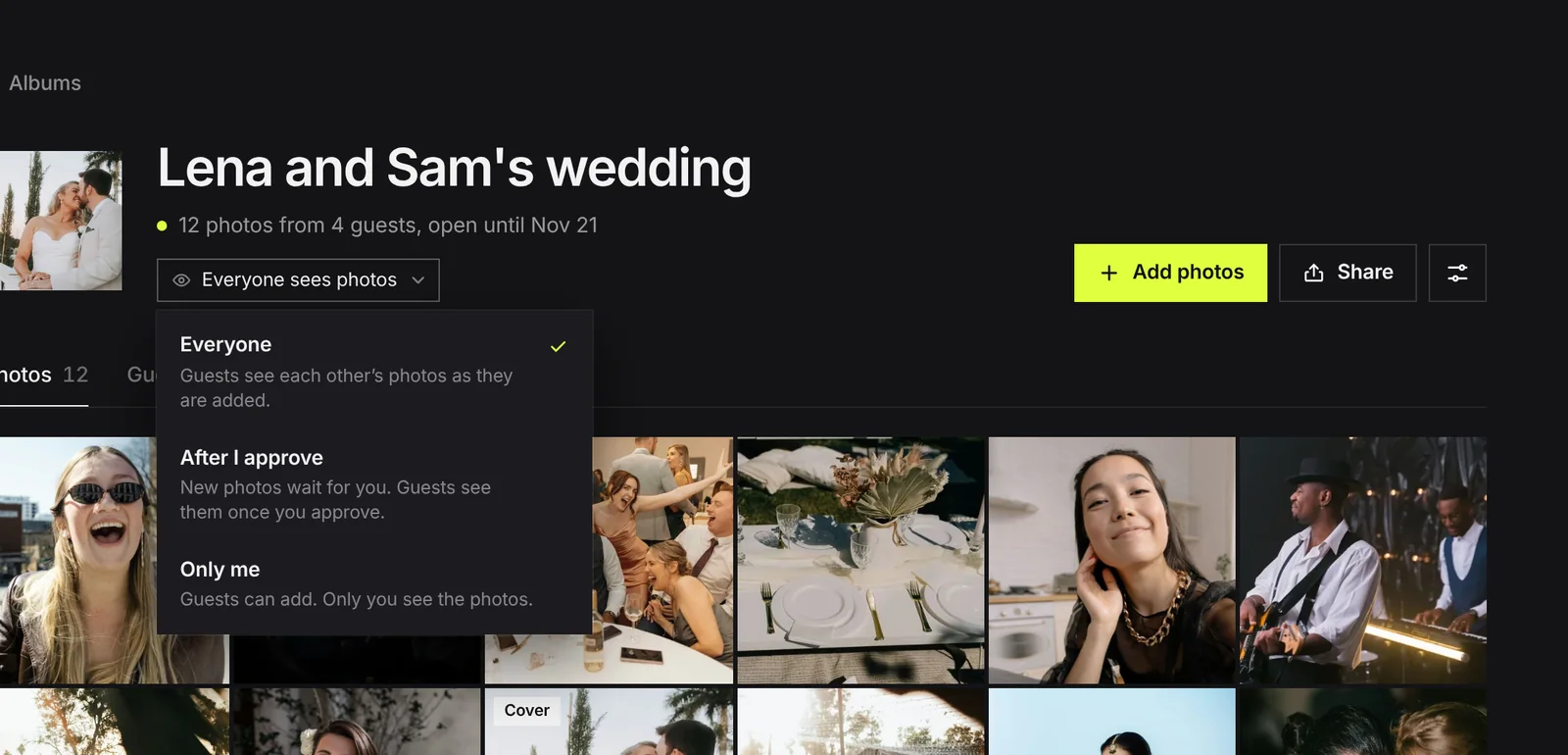
If one photo should not be in the shared view, hide it. It stays in your album and guests no longer see it.
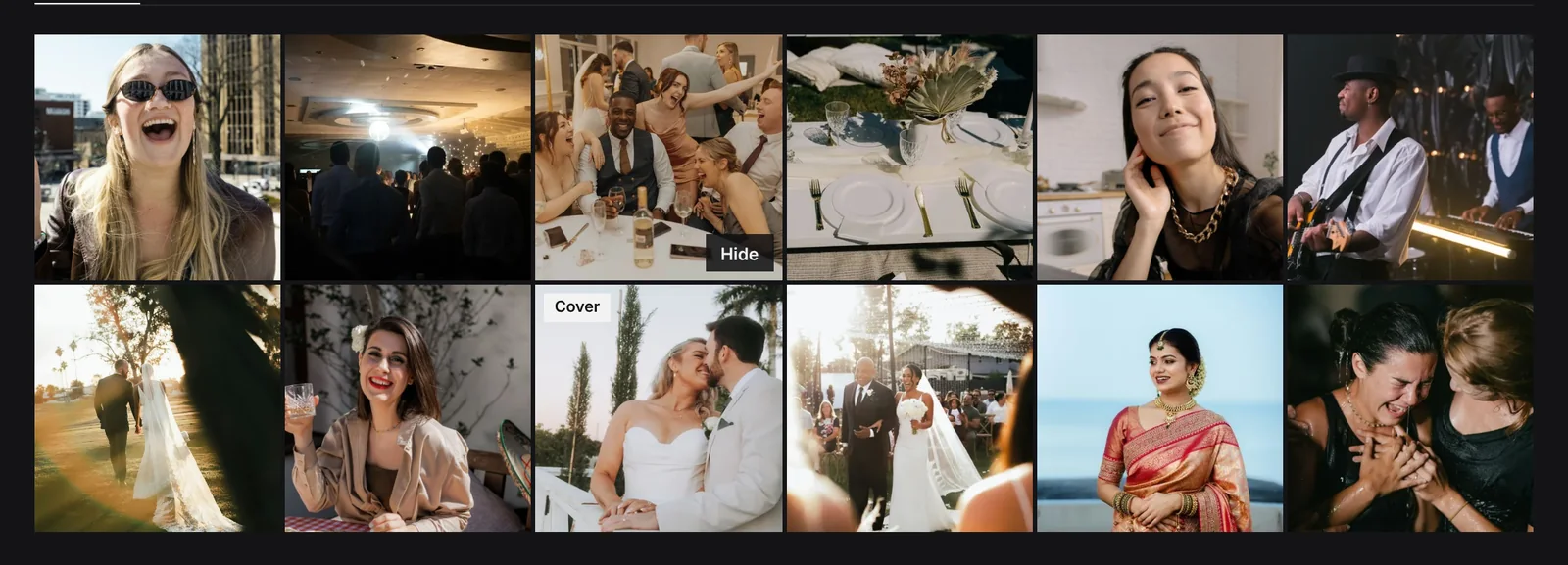
The follow up that gets you the rest
Not everyone adds at the party. Plenty will the next day if someone reminds them. Two messages do it:
- The morning after: the link again, with a photo you like from the album. "Look at this one from Maya. Add yours, link is still open."
- A day before it closes: "Closing the album tomorrow night."
Then check the Guests tab. It shows who added and how many, which tells you who to ask directly.
Save the ones you want before the date in the album settings: open a photo and download it at full size. The album and its photos are deleted after that date, and you can push the date out by up to 30 days at a time if you need longer.
FAQ
Why not just use a group chat for party photos?
Chats shrink photos to send them quickly, bury them under replies, and lead people to share only a few. A shared album with a link collects the full set at full size and keeps the photos apart from the conversation.
Do my friends need an account to add photos?
No. With Kepla Albums they open the link or scan the code, pick photos from their camera roll and send. There is no app to install and no account, email address or phone number to give.
Does it work for both iPhone and Android?
Yes. The album is a web page, so it opens in the browser on any phone, tablet or laptop. Nobody needs to be in the same phone family or on the same messaging app.
Can I collect photos without the others seeing them?
Yes. Set Who sees the photos to Only me. People can still add, and only you see what comes in. This is the setting to use for a surprise slideshow or a photo book.
How many photos can one person add?
Up to 300 photos or videos and 500 MB in one go, and they can add again for more. Kepla does not shrink or recompress them.
How long does the album stay up?
Until the date in its settings. You choose one day to 30 days when you make it and can move the date up to 30 days ahead at a time. After that the album and its photos are deleted, so download the ones you want to keep.
Get the photos out of the chat.
One link that everyone at the party can add to, from any phone, with no app and no account.
It stays in your saved guides on this browser. Want it in your inbox too? One email with the link now, and the next guide when it is out. No pitches, unsubscribe with a reply.