Collecting photos from a trip, a reunion or a team event

Weddings get all the attention, but the same problem follows every gathering. A week away with friends, a reunion, a school play, a company offsite: everyone took photos and nobody has all of them. The fix is the same, one album with a link, but the settings that suit a trip with six friends are wrong for a work event with sixty colleagues. This guide goes through each.
- What is the best way to collect photos from a group trip?
- Make one shared album before you leave and put its link in the trip chat. Everyone adds from their phone as they go. Set it to stay open for 30 days so the slowest person still has time once you are home.
- How do I collect photos at a family reunion when not everyone is good with phones?
- Use a link that opens in the browser with no app or account, print the QR card for the table, and ask one younger relative to walk round with the code on their phone and help.
- How should a school or club collect photos from parents safely?
- Set the album so only the organiser sees what is added, or keep it visible and approve each upload first. Share the link only through the channel the school already uses for parents, keep the window short, and follow the organisation's photo policy.
The setup is the same every time
Whatever the event, the first minute is identical:
- Go to getkepla.com/albums and sign in with your email. You click a link in an email, there is no password.
- Press New album and name it for the event.
- Choose how long it takes photos and who sees them.
- Share the link, or show the QR code.
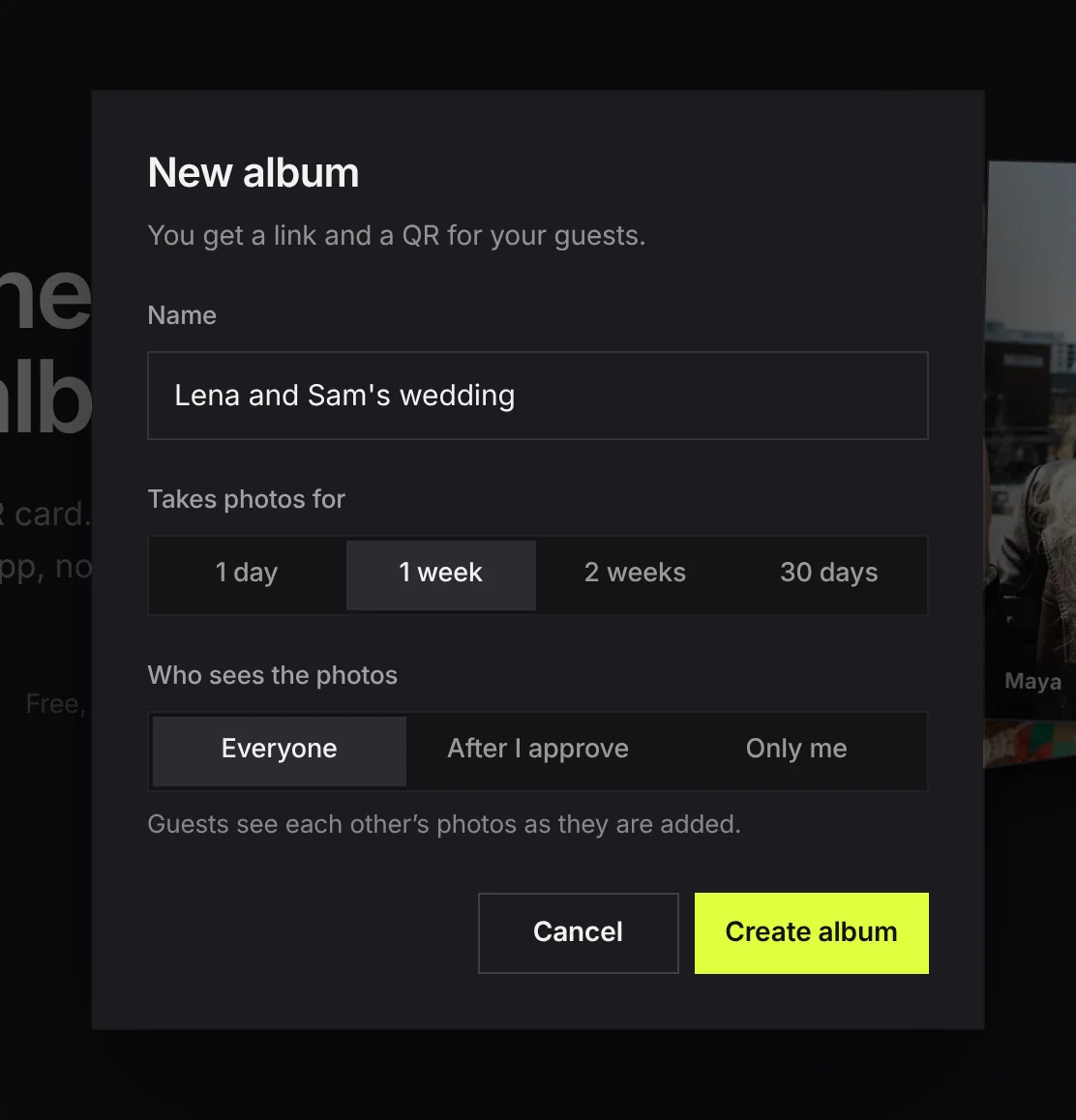
What changes from one event to the next is those three choices. The rest of this guide is which to pick.
| Event | Takes photos for | Who sees the photos |
|---|---|---|
| Trip with friends | 30 days | Everyone |
| Family reunion | 2 weeks | Everyone |
| School or club event | 1 week | Only me, or After I approve |
| Company offsite | 1 week | After I approve |
| Surprise or gift | 2 weeks | Only me |
A trip with friends
Trips are the easy case. Everyone knows each other, everyone wants everyone's photos, and the album should be open before you leave.
- Make it before the trip and put the link in the trip chat on day one. People add as they go, which means the album fills while you are still away.
- Set it for 30 days. A week away plus the fortnight it takes the slowest friend to get round to it.
- Leave Who sees the photos on Everyone, which is how a new album starts.
- Someone shot on a real camera? The link works on a laptop too. They can add from the card once they are home.
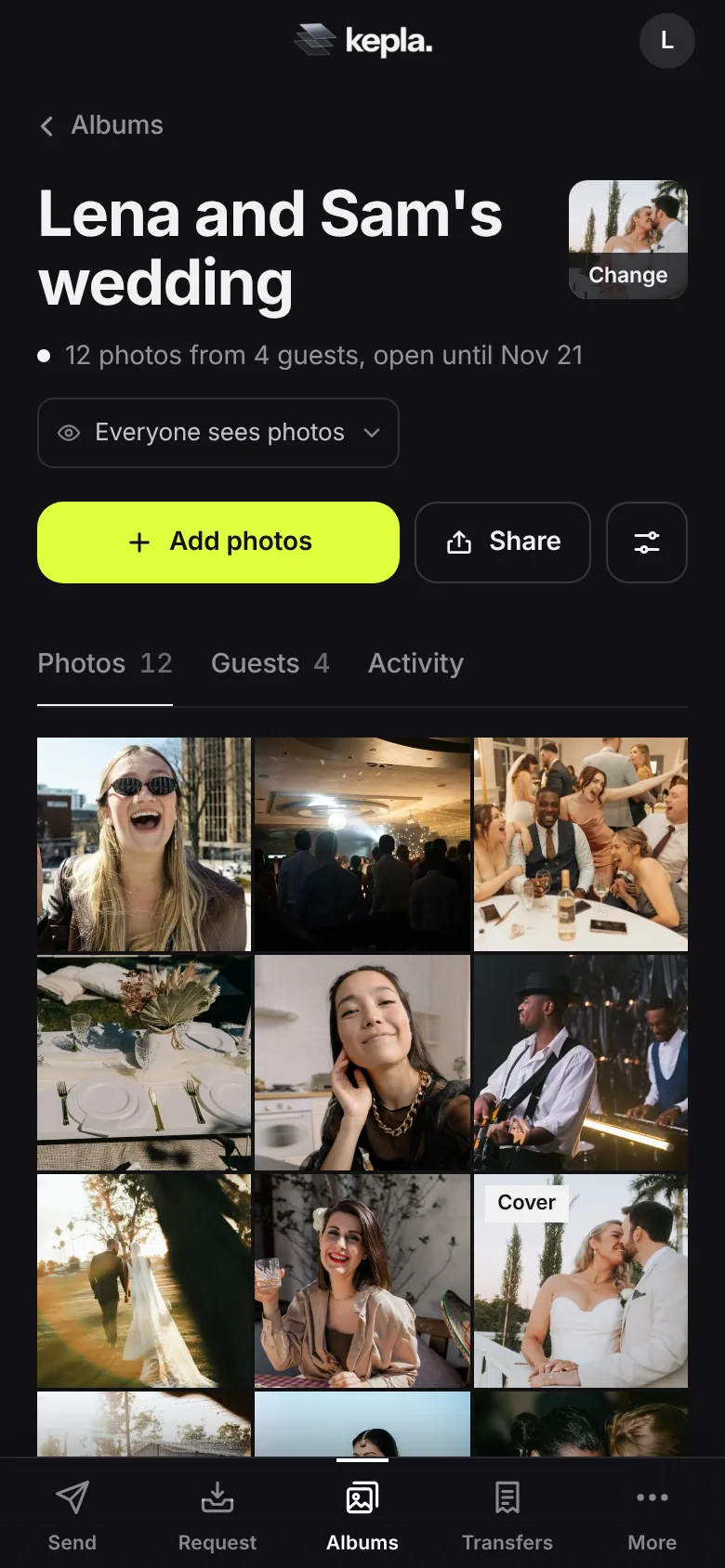
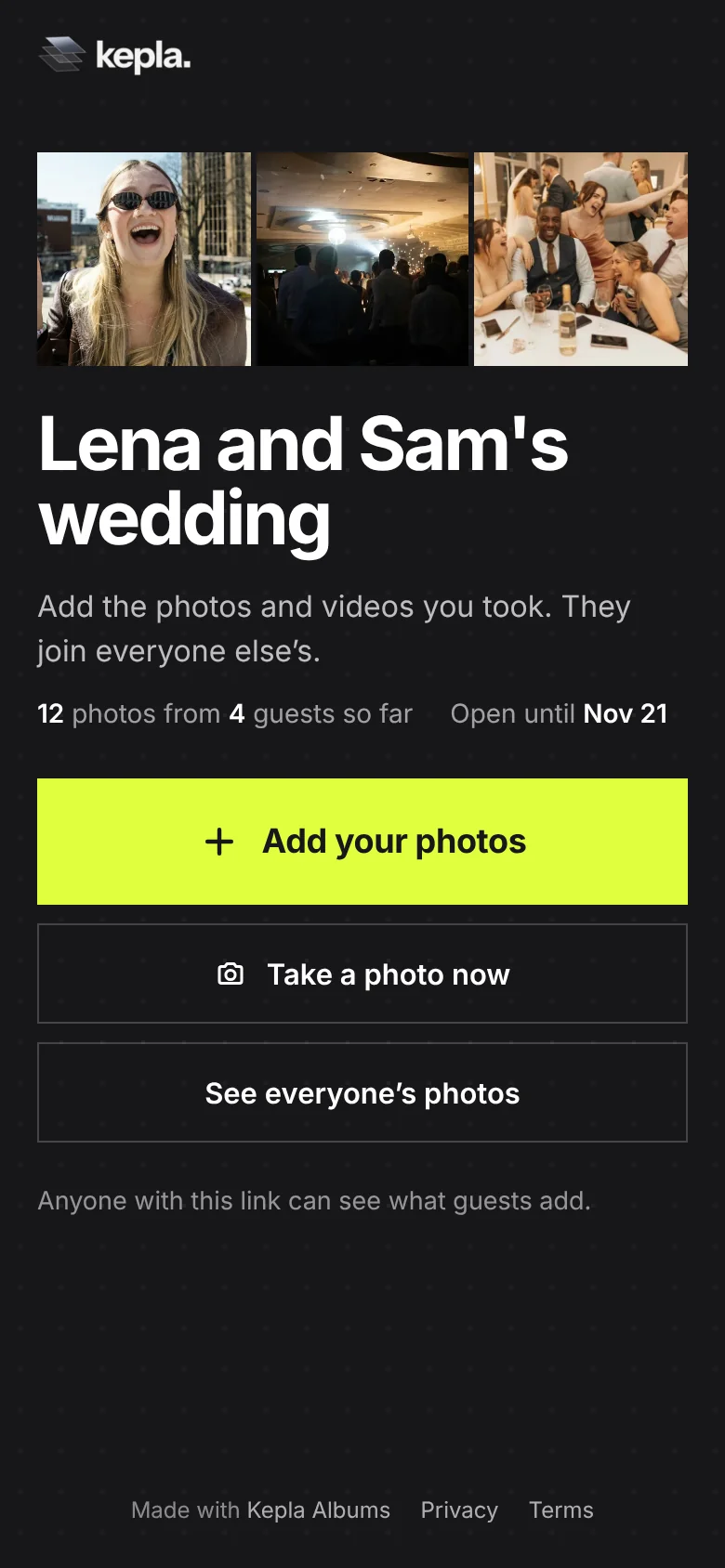
One add takes up to 300 photos or videos and 500 MB. On a long trip people add in batches, which is the natural way to do it anyway.
A family reunion
Reunions have a wide range of ages and phones, and at least one relative who will not install anything. That is the case a plain link handles best.
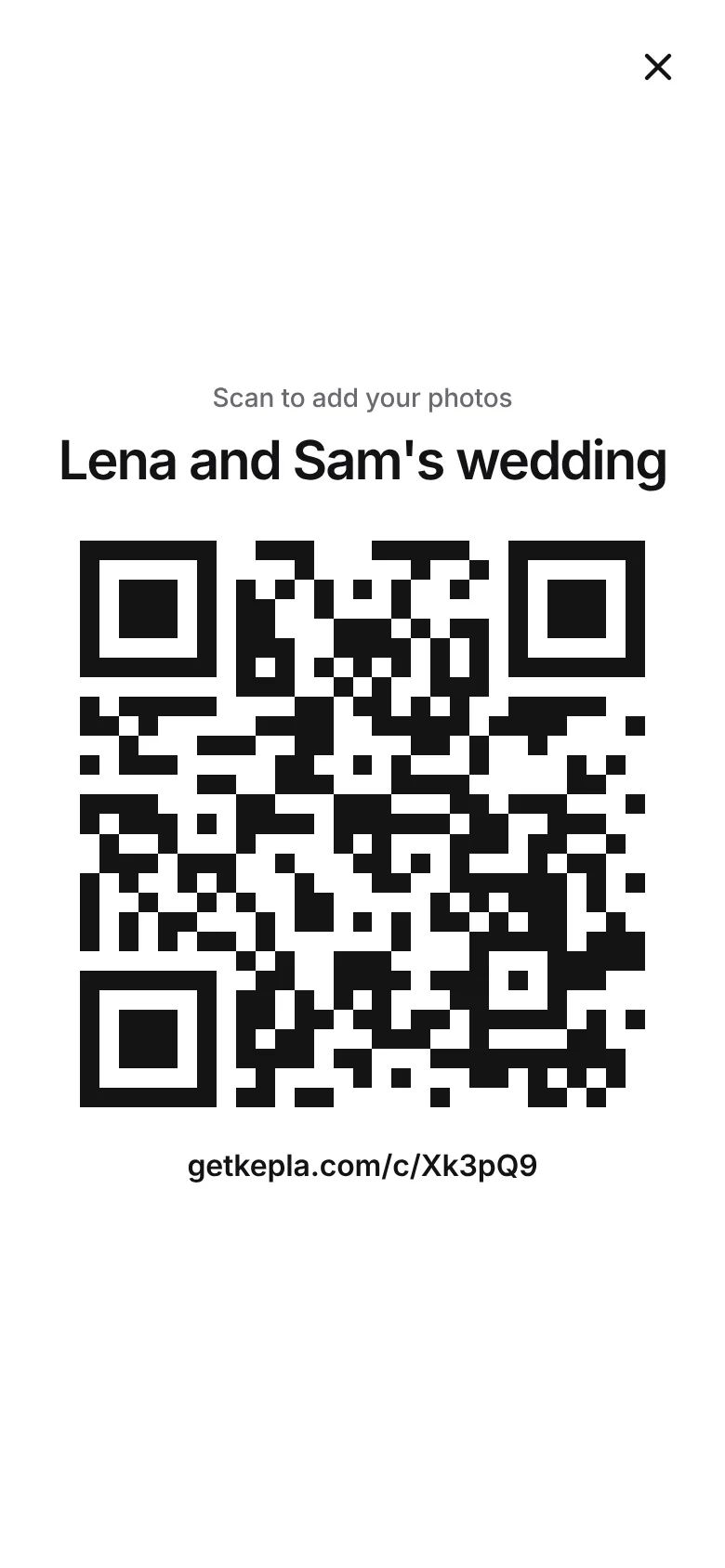
- Print the card. Older relatives are more comfortable scanning something on a table than tapping a link in a chat they are not in. Put a copy by the food.
- Ask one of the younger cousins to be the helper. Their job is to walk round once with the code on their phone, full screen, and help anyone who is unsure.
- Invite old photos too. A reunion album is a good home for scans and phone pictures of prints. Say so on the card: "Add a photo from today, or an old favourite."
- Send the link to the people who could not come. They can look, and they can add their own.
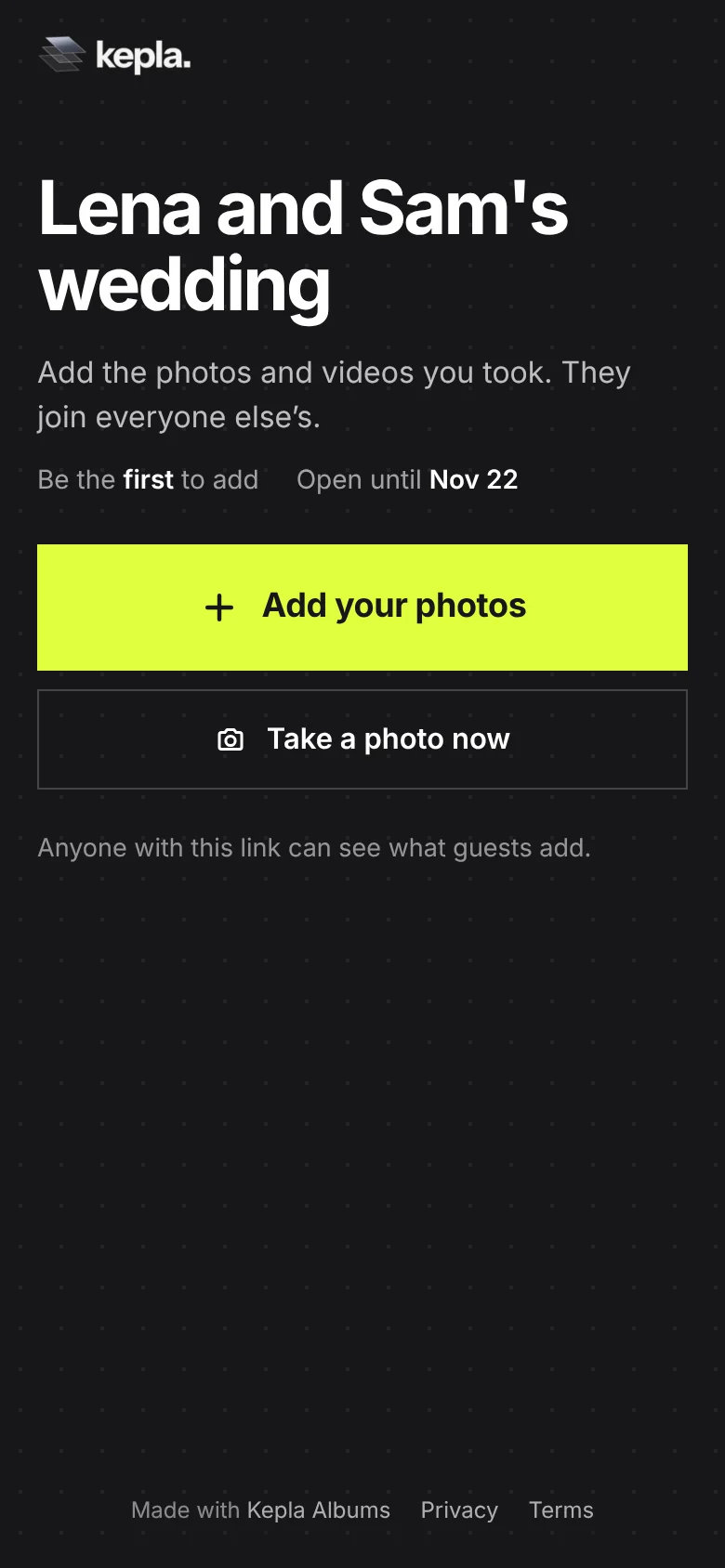
A school, club or community event
When children are in the photos, the defaults are wrong. Parents will add happily, and they will also want to know who can see their child.
- Choose Only me if you are collecting for a yearbook, a newsletter or a display. Parents add, only you see, and you choose what goes further.
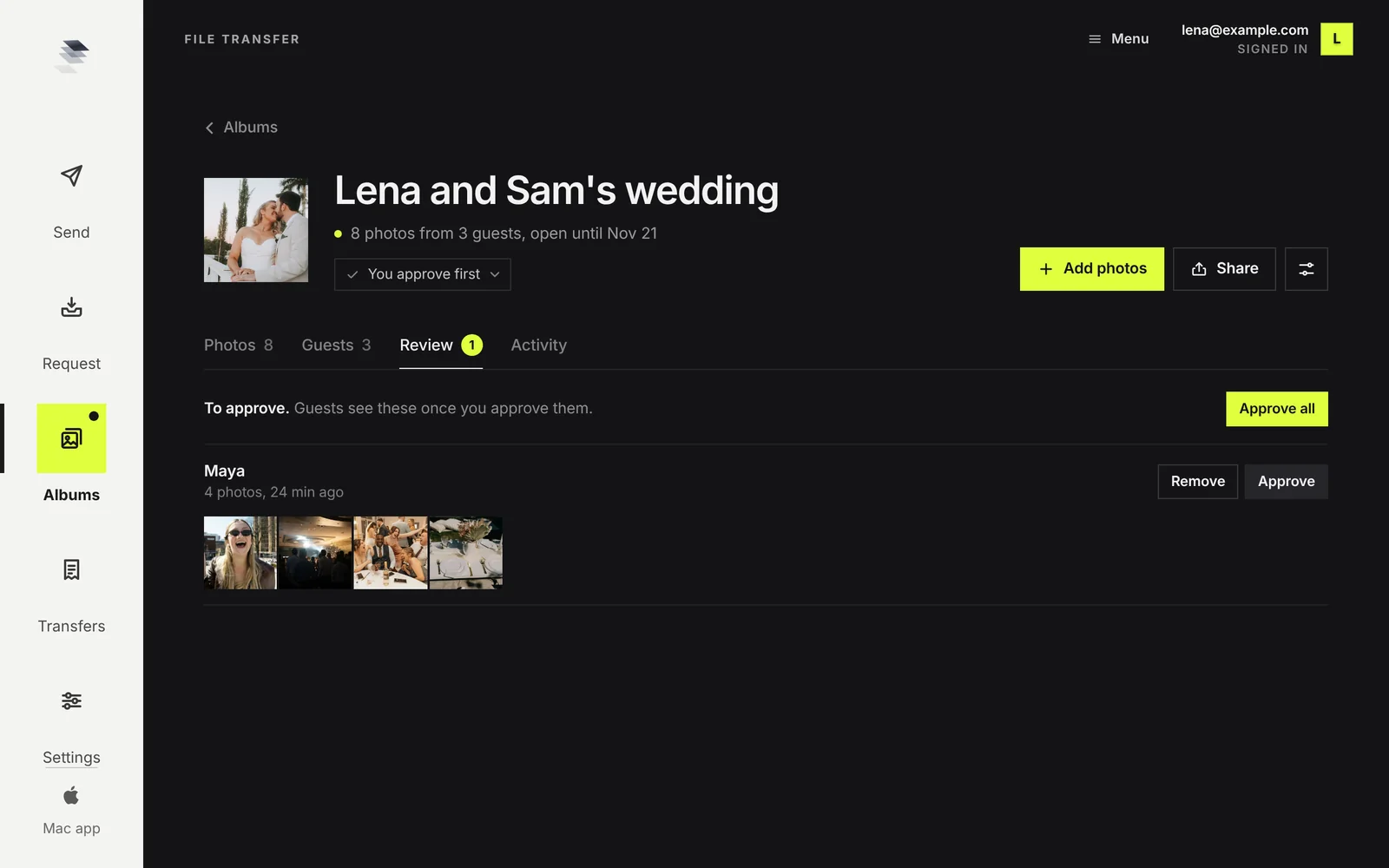
- Or choose After I approve, so that nothing appears to other families until an organiser has looked.
- Share the link only through the channel the school already uses for parents. Do not post it publicly.
- Follow your organisation's photo policy. If some families have opted out of photos, the organiser approving uploads needs that list.
- Set a short window. One week, then stop taking photos.
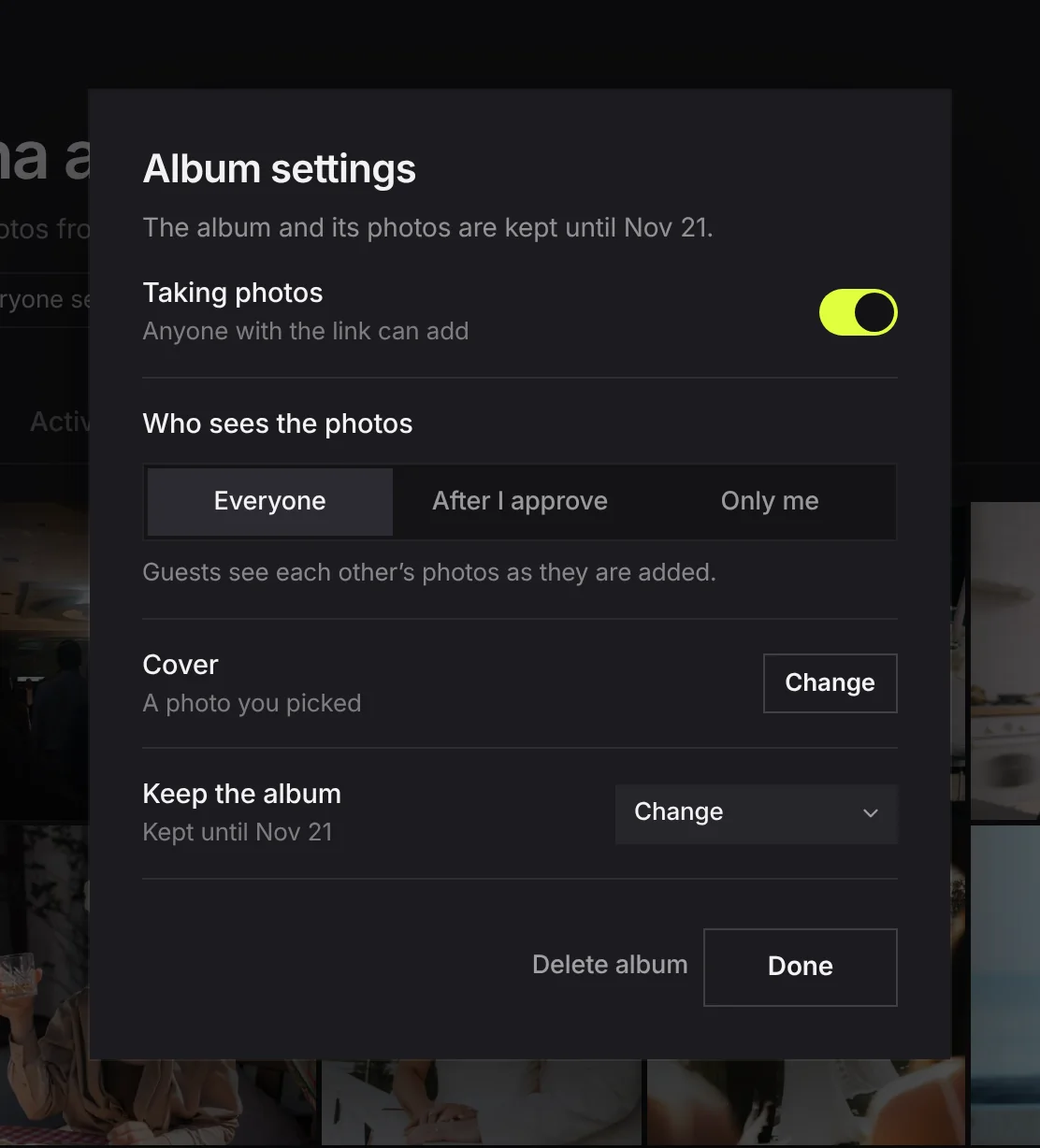
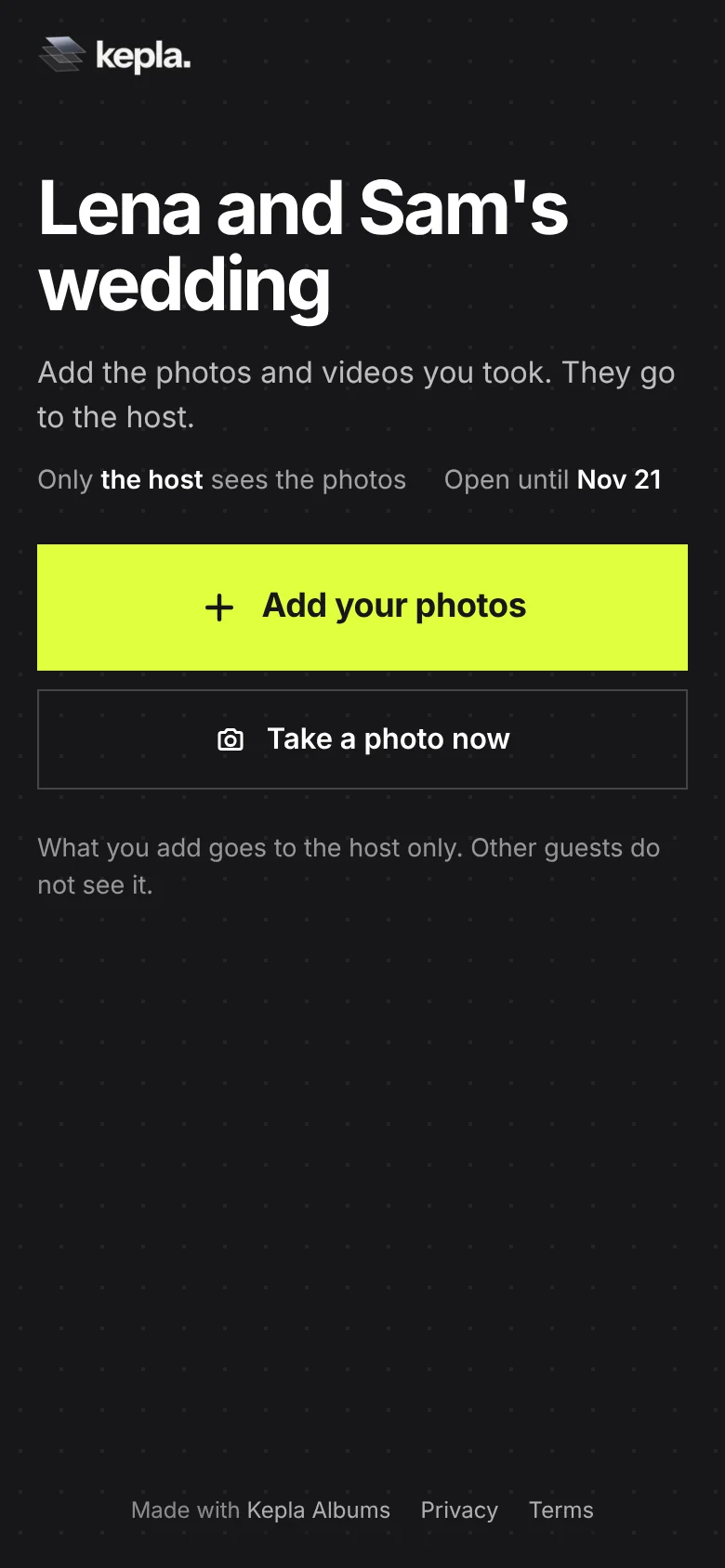
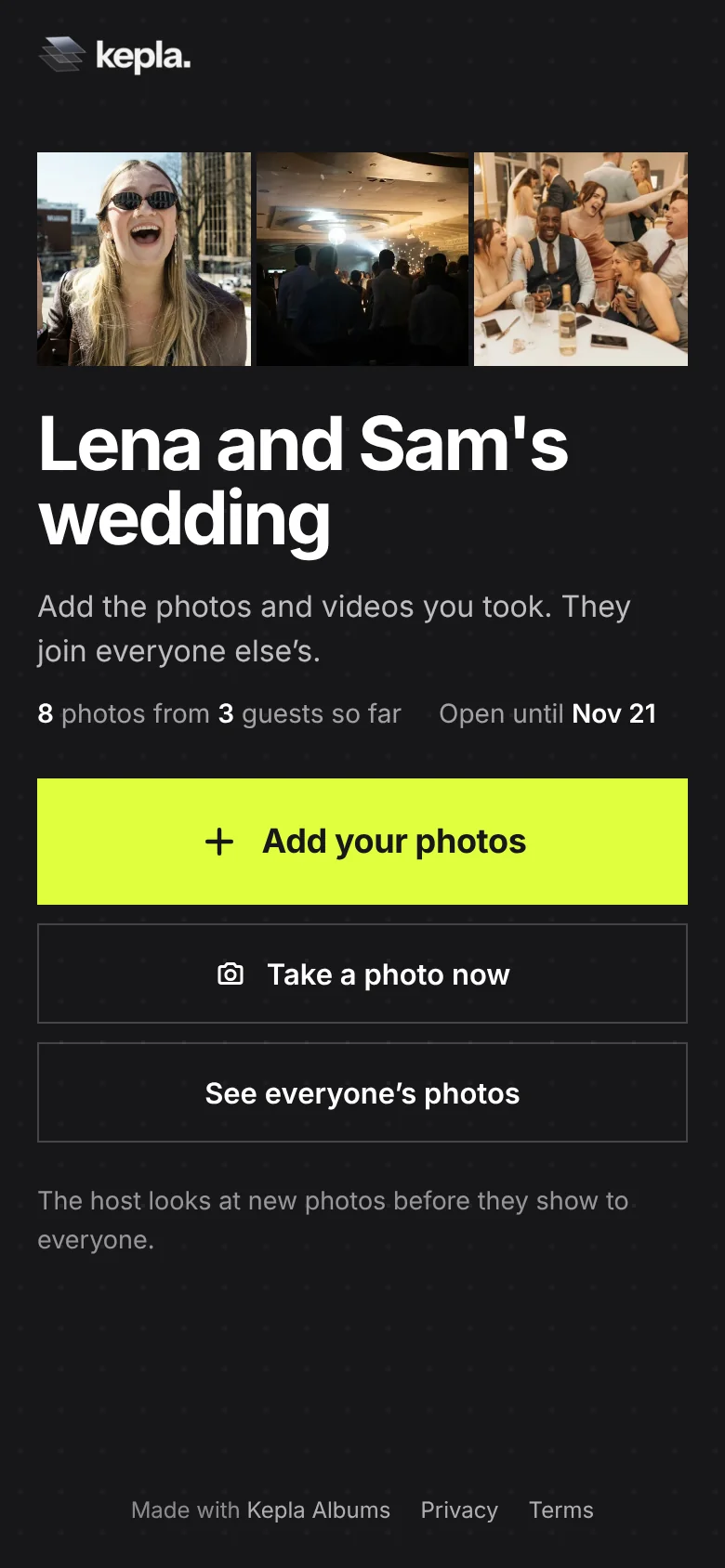
The page tells people which of these applies before they add anything, so nobody has to take your word for it.
A company offsite or team day
At work, the barrier is accounts. Nobody wants to sign in to a personal Google or Apple account to share photos with colleagues, and some company phones block app installs. A link in the browser avoids both.
- Post the link in the event channel and put the code on the last slide of the day.
- Choose After I approve. Someone from the organising team looks before colleagues see them. It keeps the album to photos everyone is comfortable with.
- Name a person, not a team, as the owner. The album belongs to the email that made it. Use a shared events mailbox if you have one.
- Check the Guests tab afterwards to see who contributed, and thank them by name in the wrap up.
- Download what you need for the recap within the window. The album is kept up to 30 days at a time, then deleted.
Collecting for a surprise or a gift
A photo book for a retiring colleague, a slideshow for a 60th, a memory box for a teacher. Here the whole point is that contributors do not see what the others sent, and the person it is for does not see anything.
- Set Who sees the photos to Only me. Everyone can add, only you can look.
- Say so in the message: "Only I will see what you add."
- Ask for a name with each upload, so you can credit people or ask a follow up question.
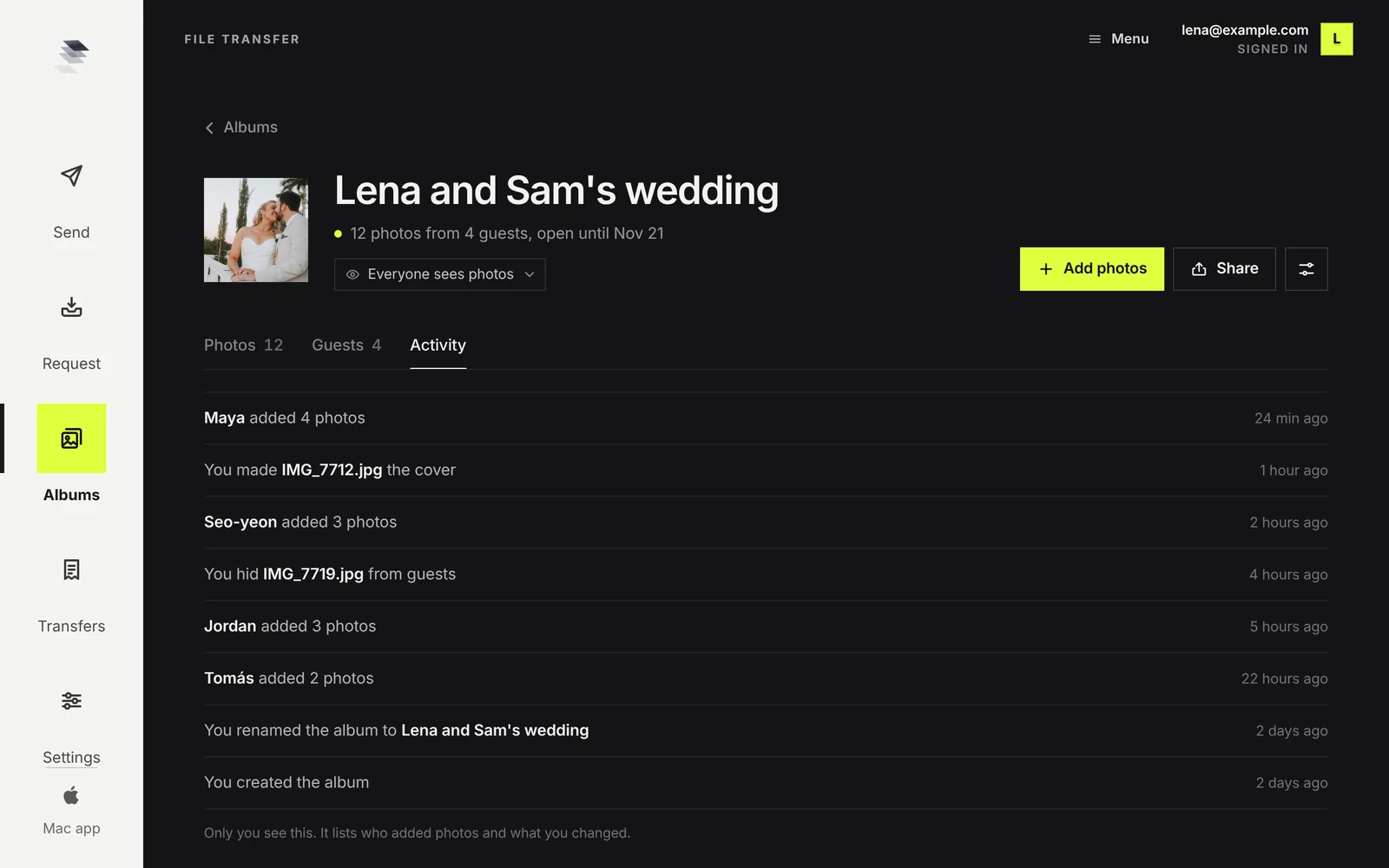
- Use the Activity tab as your checklist. It shows who has added and when, so you know who still needs a nudge before the deadline.
After the event, whatever it was
- Send the link once more a day or two later, when people are home and have time.
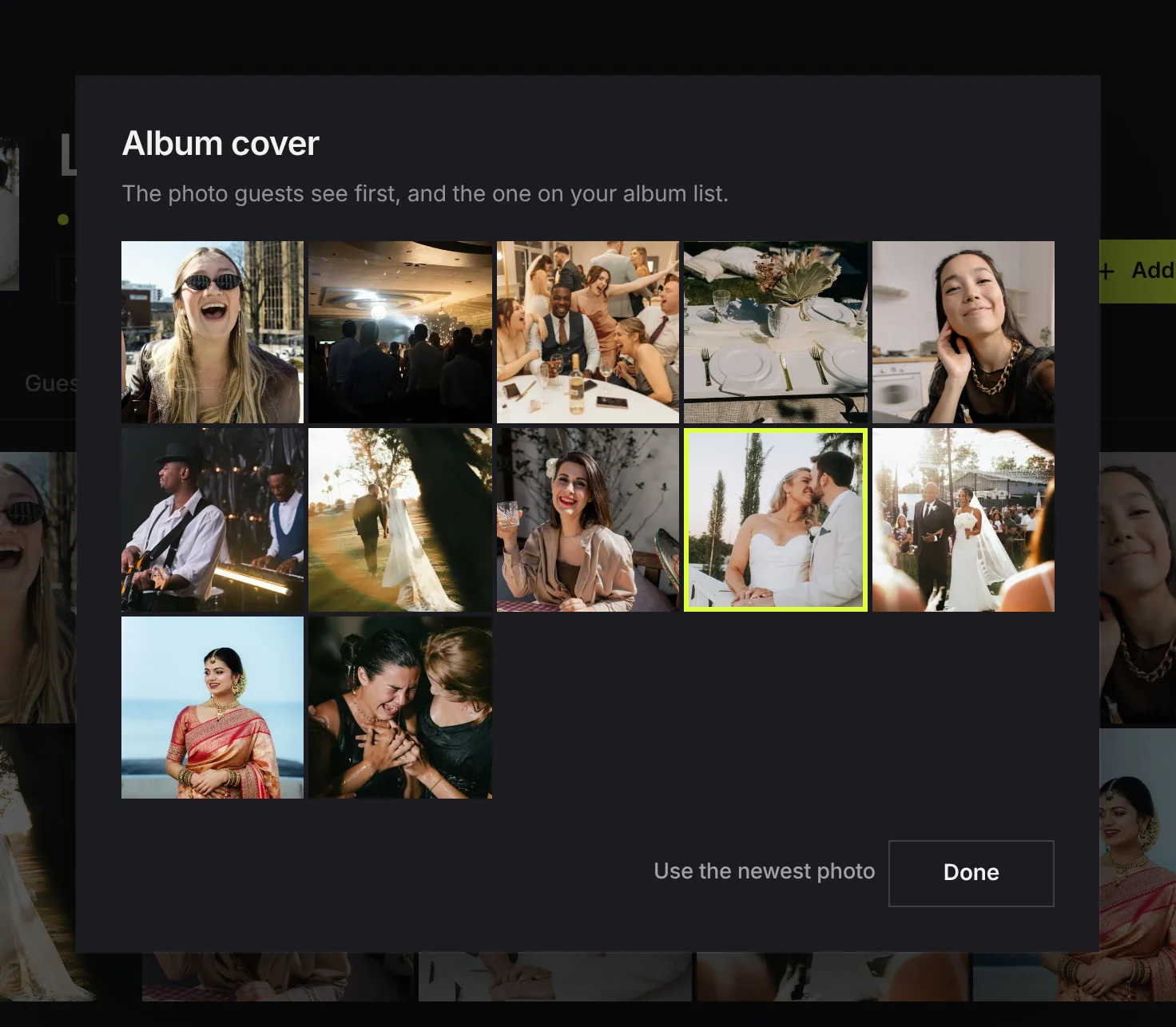
- Pick a cover. It is the first photo people see on the page and on your album list.
- Hide anything that should not be shared, or remove an upload entirely.
- Save the keepers. Open a photo and download it at full size. Photos are saved one at a time for now.
- Stop taking photos when you are done, so nothing new arrives unseen. The album stays viewable until its date.
FAQ
What is the best way to collect photos from a group trip?
Make one shared album before you leave and put its link in the trip chat. Everyone adds from their phone as they go. Set it to stay open for 30 days so the slowest person still has time once you are home.
How do I collect photos at a family reunion when not everyone is good with phones?
Use a link that opens in the browser with no app or account, print the QR card for the table, and ask one younger relative to walk round with the code on their phone and help.
How should a school or club collect photos from parents safely?
Set the album so only the organiser sees what is added, or keep it visible and approve each upload first. Share the link only through the channel the school already uses for parents, keep the window short, and follow the organisation's photo policy.
How do we collect photos from a company event without personal accounts?
Use a link that opens in the browser. Colleagues add without signing in to anything or installing an app. Turn on approval so an organiser looks at photos before the rest of the company does.
Can people add photos without seeing what others added?
Yes. Set Who sees the photos to Only me. Contributors can still add, and only the album's owner can look. The page tells contributors this before they add.
How long does a shared album last?
In Kepla Albums, until the date in its settings: one day to 30 days when you make it, and you can move the date up to 30 days ahead at a time. After that the album and its photos are deleted.
One album for the whole group.
A link everyone can add to from any phone, with no app and no account, and the right privacy for the event.
It stays in your saved guides on this browser. Want it in your inbox too? One email with the link now, and the next guide when it is out. No pitches, unsubscribe with a reply.