Google Photos and iCloud shared albums vs a link anyone can add to

You already have a shared album feature on your phone. For a family that all uses the same kind of phone, it is hard to beat. For a wedding, a party or a team event, where the guests are a mix of everything and half of them will not sign in to anything, it starts losing people at the first screen. This is a plain comparison of the three options, with the limits each publishes and the cases each one is right for.
- Can someone add photos to a Google Photos shared album without a Google Account?
- They can view a shared album by link without one. Adding photos happens inside Google Photos while signed in to a Google Account. If some of your guests will not have one, use a tool that takes photos from a plain link.
- Can Android users add to an iCloud Shared Album?
- iCloud Shared Albums are built around invitations and Apple Accounts, so they work best when everyone is on Apple devices. For a mixed iPhone and Android group, a Google Photos album or a link that opens in any browser is a better fit.
- Do iCloud Shared Albums reduce photo quality?
- It depends on the software version the album was made with. Apple's limits page says albums made on version 26 or earlier reduce photos to 2048 pixels on the long edge, while albums made on version 27 or later keep originals at full resolution and count against the owner's iCloud storage.
The one question that decides it
Ignore features for a moment. For collecting photos from a group, one question matters more than the rest:
What does a guest have to do before their first photo is in?
Every step between "I got the link" and "my photos are in" loses some of your guests. A sign in loses more than a tap. An install loses more than a sign in. The right tool for an event is the one with the fewest steps for the people actually coming.
The three options at a glance
Checked in November 2026. Limits change, so follow the links before you rely on one.
| iCloud Shared Album | Google Photos shared album | Kepla Albums link | |
|---|---|---|---|
| To add photos, a guest needs | An Apple Account and an invitation | Google Photos, signed in to a Google Account | The link. No account, no app |
| Works for a mixed iPhone and Android crowd | Best when everyone is on Apple devices | Yes, for those with a Google Account | Yes, any phone or laptop browser |
| Hand it out by QR code | No | No built in code | Yes, with a printable card |
| Who can look | Invited people, or a public website if turned on | Anyone with the link, or chosen accounts | Anyone with the link, or only you |
| Approve before others see | No | No | Yes, one setting |
| How long it lasts | Until you delete it | Until you delete it | Up to 30 days at a time, then deleted |
| Cost | Included with iCloud | Uses Google storage | Free |
iCloud Shared Albums
If everyone you are inviting uses an iPhone, this is the least effort for you. The album lives in the Photos app, people get a notification, and they add from the same place they look at their own photos.
The limits, from Apple's Shared Albums limits page, depend on the software version the album was made with:
- Albums made on version 26 or earlier: up to 100 subscribers, up to 5,000 photos and videos in one album, and photos are reduced to 2048 pixels on the long edge when shared.
- Albums made on version 27 or later: up to 100 participants including the owner, with originals kept at full resolution. What participants add counts against the owner's iCloud storage.
Where it falls short for an event: every contributor has to be invited and has to have an Apple Account. There is no code to put on a table. A wedding with 140 guests is over the participant limit before the first photo, and the Android half of the room is left out or left confused.
Use it when: the group is small, known in advance, and all on Apple devices. A family holiday is the ideal case.
Google Photos shared albums
Google Photos works on iPhone and Android, which already makes it a better fit for a mixed group. You make an album, turn on link sharing, and send the link.
From Google's help page on sharing: when you share a link to an album, anyone with the link can view the photos and add to it. To stop others adding, you turn off Collaborate in the album's options, as Google's page on shared album controls explains. The same page notes that anyone with access can add other people to a shared album.
The catch is in the word "add". Looking at a shared album by link needs nothing. Contributing happens inside Google Photos, signed in, and Digital Trends puts it simply: a contributor needs a Google Account, while anyone with the link can view. For a guest who uses Gmail, that is one tap. For a guest who does not, or who is signed out, or who has never opened Google Photos on their iPhone, it is an app and a sign in before the first photo.
Where it falls short for an event: the sign in step, no code to put on a table, and no way to look at new photos before they are in front of everyone.
Use it when: your group already lives in Google Photos, or you want the album to stay for years as part of your own library.
A link anyone can add to
The third option is a web page built for exactly this job. With Kepla Albums you make an album and get a link and a QR code. A guest opens it in their browser, presses one button and picks photos.
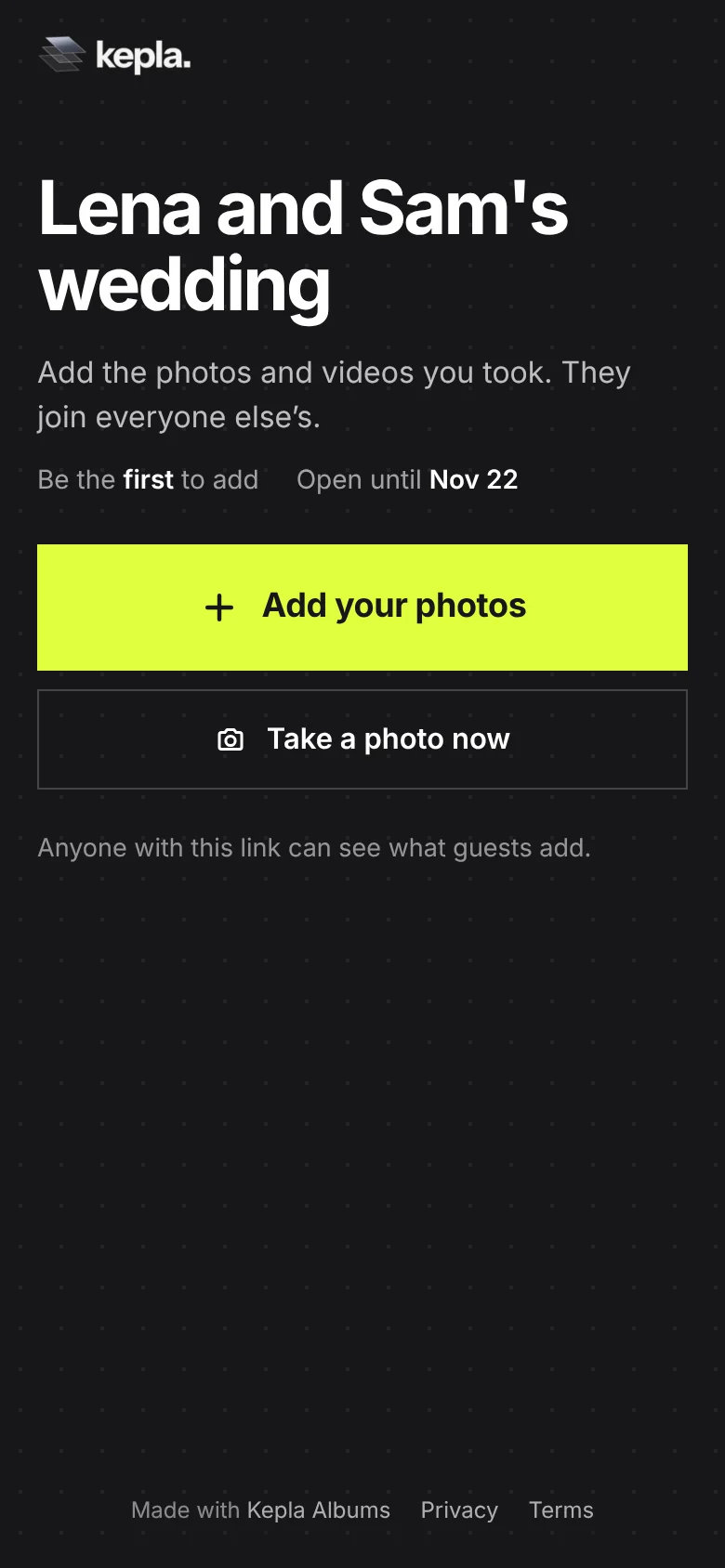
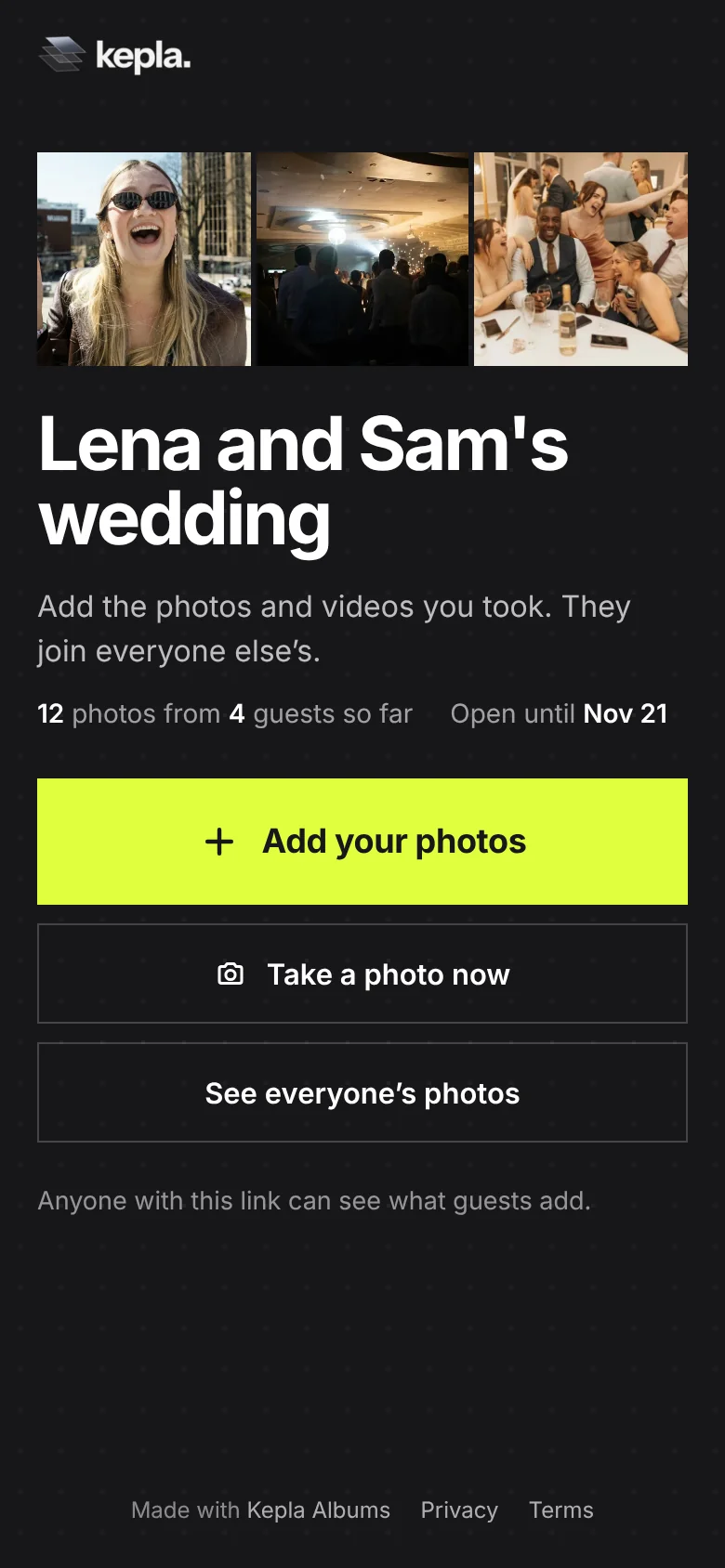
What you get that the phone albums do not have:
- No account for guests, on any phone.
- A QR code and a printable card, so the album can be handed out on paper.
- A choice of who can look. Guests can see each other's photos, or only you can.
- Approval. New uploads can wait for you before anyone else sees them.
- A record. A Guests tab of who added what, and an Activity tab of what changed.
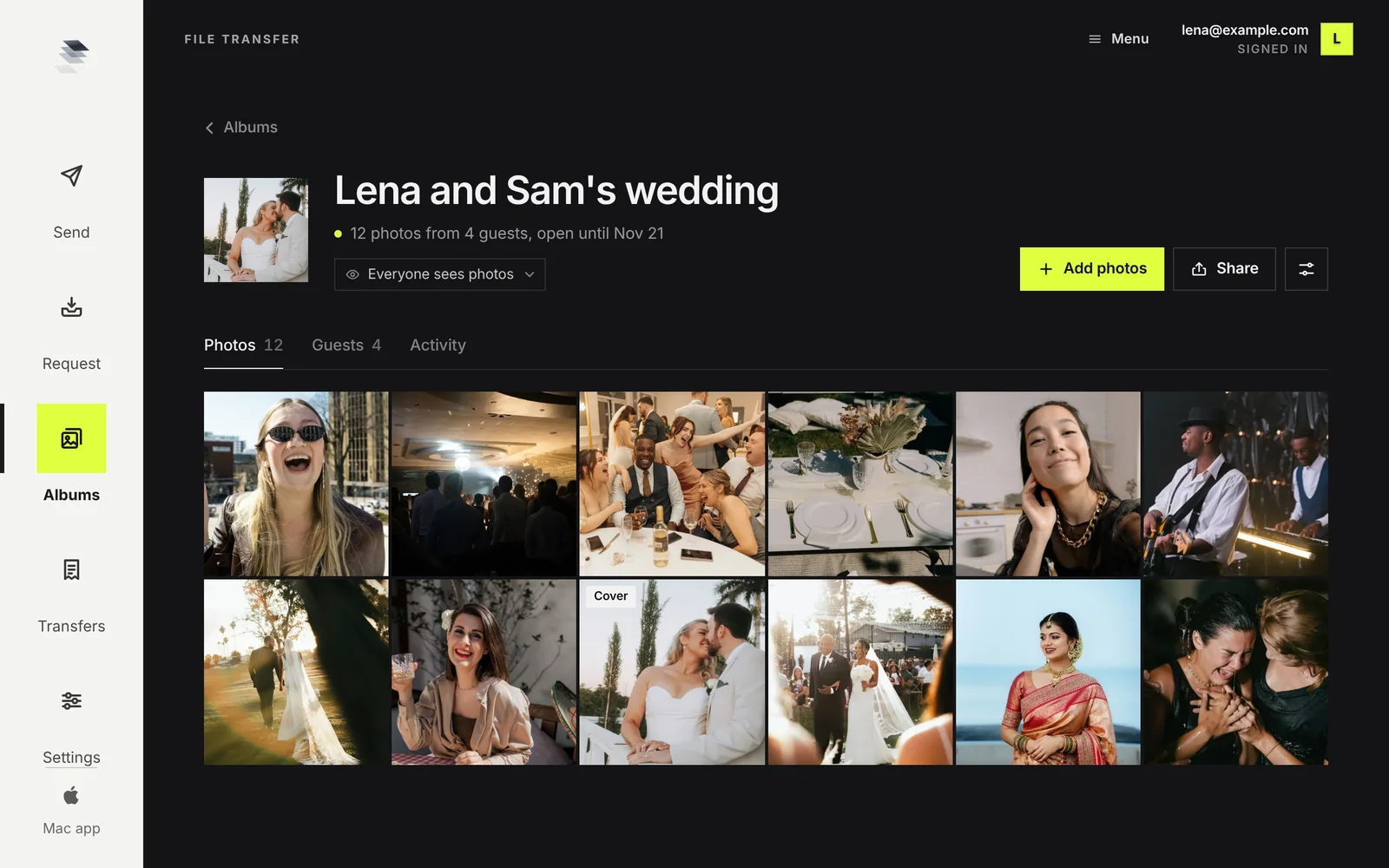
And the limits, stated as plainly as the others:
- It is not permanent storage. An album is kept up to 30 days at a time. You can move the date, but it is a place to collect, not a library. Save what you want to keep.
- One add is up to 300 photos or videos and 500 MB. A guest with more adds again.
- Photos are saved one at a time for now. There is no single button for the whole album.
- The host signs in with an email link. Guests do not.
Which to use for which event
| Event | Best fit | Why |
|---|---|---|
| Family holiday, all iPhones | iCloud Shared Album | Already on every phone, stays forever |
| Friends who all use Google Photos | Google Photos | One tap for them, lives in your library |
| Wedding | A link with a QR code | Mixed phones, many guests, needs to work from a table card |
| Birthday or party with people who do not know each other | A link | No accounts, no shared phone numbers |
| Work or team event | A link, with approval on | Nobody signs in with a personal account, and you look first |
| Collecting for a surprise | A link, visible only to you | People add without seeing what others sent |
There is no reason not to use two. Collect with a link while the event is fresh, then move the keepers into the library you already use for the long term.
FAQ
Can someone add photos to a Google Photos shared album without a Google Account?
They can view a shared album by link without one. Adding photos happens inside Google Photos while signed in to a Google Account. If some of your guests will not have one, use a tool that takes photos from a plain link.
Can Android users add to an iCloud Shared Album?
iCloud Shared Albums are built around invitations and Apple Accounts, so they work best when everyone is on Apple devices. For a mixed iPhone and Android group, a Google Photos album or a link that opens in any browser is a better fit.
Do iCloud Shared Albums reduce photo quality?
It depends on the software version the album was made with. Apple's limits page says albums made on version 26 or earlier reduce photos to 2048 pixels on the long edge, while albums made on version 27 or later keep originals at full resolution and count against the owner's iCloud storage.
How many people can be in an iCloud Shared Album?
Apple lists a maximum of 100 subscribers for albums made on version 26 or earlier and 100 participants including the owner for albums made on version 27 or later. Check Apple's limits page for the current figures.
What is the easiest option for a wedding?
A link with a QR code that opens in any phone browser and does not ask guests to sign in. It works for every kind of phone, can be printed on table cards, and lets you choose who sees the photos.
Is a link less private than a phone album?
A link can be opened by anyone who has it, so share it with the people you mean to. In Kepla Albums you can go further: set the album so only you see the photos, or approve each upload before other guests see it, and hide single photos.
The option with no sign in.
One link or QR code that works on every phone. Guests add with no app and no account.
It stays in your saved guides on this browser. Want it in your inbox too? One email with the link now, and the next guide when it is out. No pitches, unsubscribe with a reply.