Shared albums for photographers: guest photos alongside your gallery

Every couple you photograph also wants the photos their guests took. The usual attempt is a group chat that brings in a dozen. If you set up the guest album for them, it costs you two minutes, solves a problem they will otherwise fumble, and puts your name on something every guest opens. This is how to offer it without diluting your own work.
- Should photographers offer a guest photo album?
- Yes, if it is kept apart from your own work. Couples want their guests' phone photos and usually fail to collect them. Setting up a shared album takes a couple of minutes and puts your name on a page every guest opens.
- Will guest photos make my gallery look worse?
- Not if they are separate. Use a separate album with its own link, or attach the album to a gallery sent with Kepla File Transfer, where guests' photos appear in their own section labelled From guests, after your photographs.
- Who should moderate the guest album?
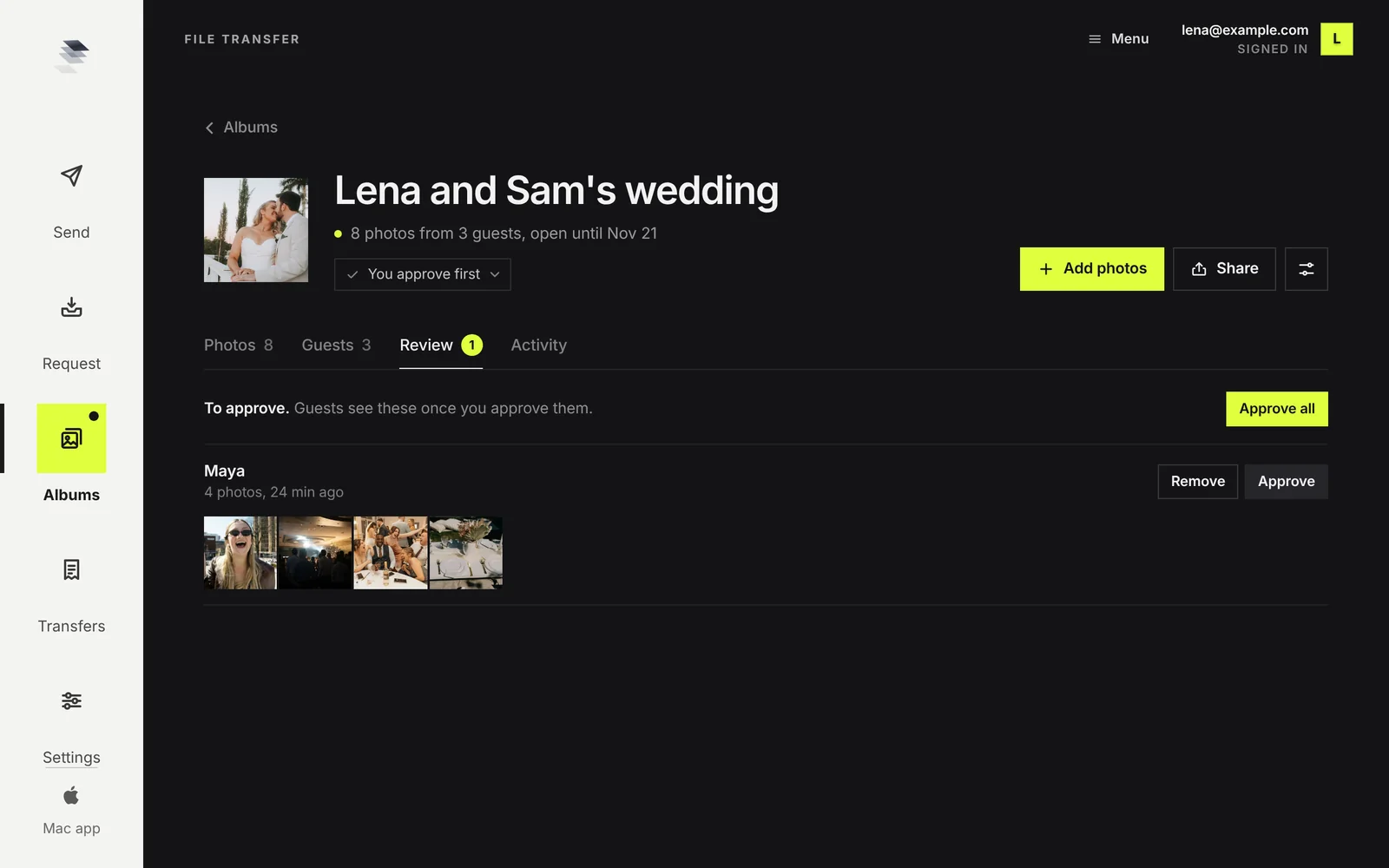
- Decide before the day. If the album is on your account you can hide photos and approve uploads first, which gives you control over what appears under your name. If the couple makes it on their own email, they moderate and you only supply the card.
Why this is your problem to solve
It is tempting to see guest photos as competition. They are not. Nobody chooses a phone photo over yours for the wall. Guest photos fill the hours and corners you were not in: the getting ready at the other house, the taxi, the after party, the table you never reached.
Three reasons to be the one who sets it up:
- The couple will try anyway. If their attempt is a hashtag and a group chat, they end up with little and remember that as a gap in the day's record.
- It is a service that costs you almost nothing. Two minutes to make, one card to print or send.
- Every guest who scans can see who made it. Set your studio name in Kepla's settings and it shows on the page guests open. A room of wedding guests reading your name is the audience you pay to reach elsewhere.
Keep the two sets apart, on purpose
The rule that keeps this from hurting your brand: guest photos never sit unlabelled next to yours. A guest's flash photo in the middle of your edit makes the whole gallery look uneven, and a client's aunt will not know which is which.
There are two clean ways to run it:
| Setup | How it works | Best for |
|---|---|---|
| A separate album | The guest album has its own link and its own page. Your gallery has its own. The couple gets both links. | Most weddings. Zero risk of mixing. |
| Attached to your gallery | If you delivered the gallery with Kepla File Transfer, you can attach the guest album to it. Guests' photos then show in the gallery in their own section, labelled From guests, after yours. | Couples who want one place to send family. |
Either way, your photographs stay yours: your order, your cover, your edit. The guests' section is clearly labelled and comes after.
Setting one up for a client
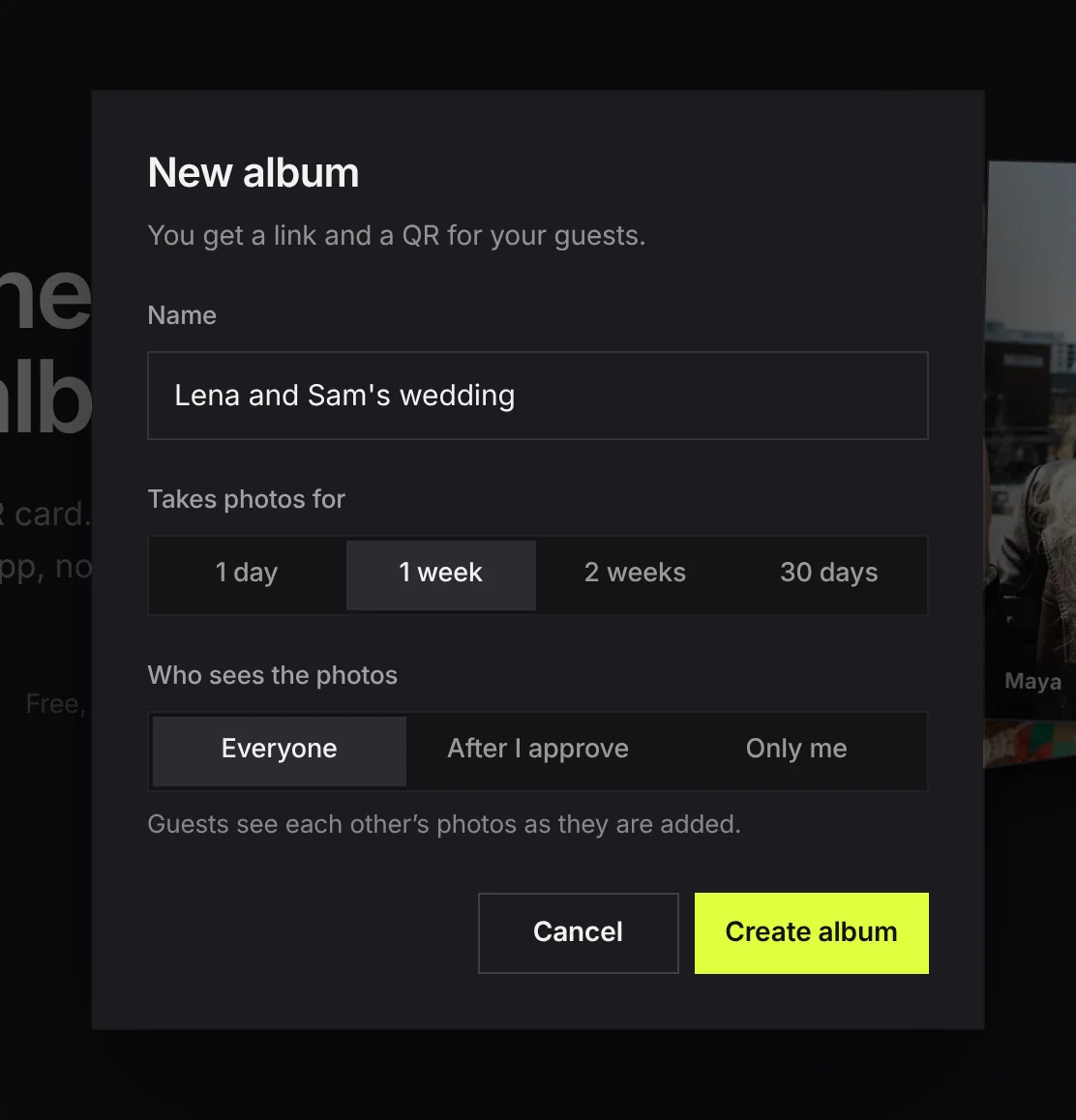
- Make the album a week or two before the wedding. At getkepla.com/albums, signed in with your studio email. Name it for the couple.
- Set it to take photos for 30 days. That covers the day and the weeks after, when most guests add.
- Choose the privacy with the couple. Ask them one question: who should see the guests' photos? Everyone as they arrive, everyone after someone has looked, or only the two of them. That is the Who sees the photos setting.
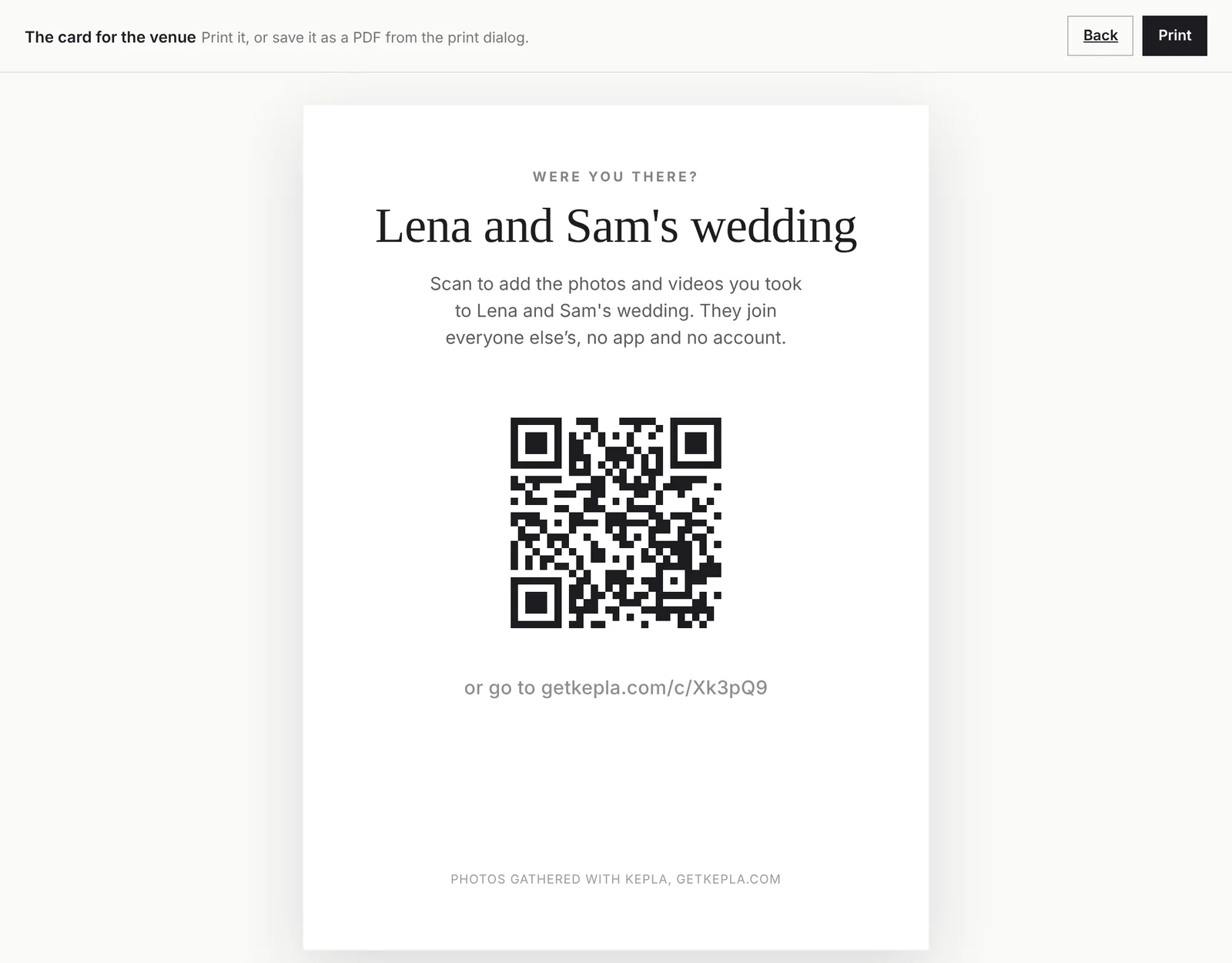
- Send the couple the printable card as a PDF. Press Print the card, save as PDF, attach it to your final details email. They pass it to their stationer or print it at home.
- Tell the planner or MC. One line at dinner is what gets the scans.
Who looks after it: you or the couple
Decide this before the day and say it in writing. There are two workable answers.
You run it
The album is on your account. You see what arrives, hide anything that should not be shared, and can turn on approval so nothing shows until you have looked. This is more work in the week after and gives you control over what appears under your name.
The couple runs it
They make the album on their own email, and you help with the card and the wording. They moderate. This is the lighter option, and the right one if you do not want any responsibility for what guests upload.
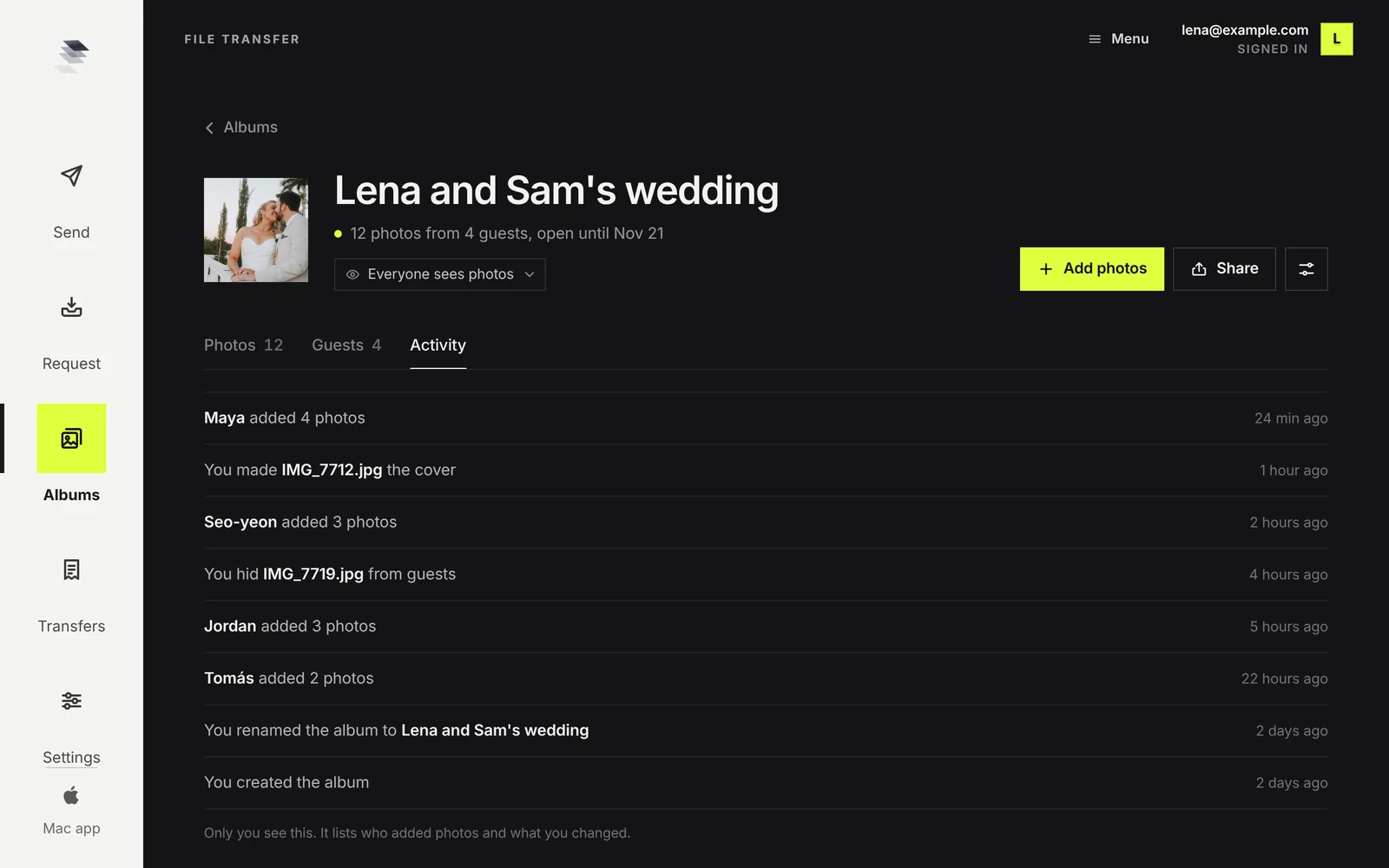
Whichever you choose, the Activity tab keeps a record: who added, what was hidden, what was removed and when. If a couple asks where a photo went, the answer is there.
What to tell the couple
Set expectations in three sentences, in your details email or your welcome guide:
"I will set up a shared album for your guests' phone photos. There will be a small card for the tables with a code, and anyone can add their photos without an app. It is separate from your gallery, it stays open for 30 days, and you should save any you want to keep before then."
Be exact about the limits, because they will ask:
- It is a place to collect, not an archive. An album is kept up to 30 days at a time. The date can be moved, but the couple should download what they want.
- Photos are saved one at a time for now. There is no single download of the whole album.
- One guest adds up to 300 photos or videos and 500 MB at a time, and can add again.
- Quality is whatever the phones took. Kepla does not shrink or recompress them, and it does not improve them either.
Making it work for your business
- Put it in your package list. "Guest photo album with QR table card" is a line item couples understand and competitors mostly do not offer.
- Deliver a sneak peek into the same week. Guests who open the album in the days after are in the mood to look at photos. If your sneak peek goes out then, the couple shares both together. See how many sneak peeks to send.
- Use it to learn who was there. The Guests tab is a list of people who cared enough to add. With the couple's blessing, those are the names to tag when you post.
- Do not use guest photos in your marketing. They are not yours. Ask the person who took one if you ever want to.
On delivery itself, making handoff day work for you covers the gallery side.
FAQ
Should photographers offer a guest photo album?
Yes, if it is kept apart from your own work. Couples want their guests' phone photos and usually fail to collect them. Setting up a shared album takes a couple of minutes and puts your name on a page every guest opens.
Will guest photos make my gallery look worse?
Not if they are separate. Use a separate album with its own link, or attach the album to a gallery sent with Kepla File Transfer, where guests' photos appear in their own section labelled From guests, after your photographs.
Who should moderate the guest album?
Decide before the day. If the album is on your account you can hide photos and approve uploads first, which gives you control over what appears under your name. If the couple makes it on their own email, they moderate and you only supply the card.
What does it cost?
Kepla Albums is free. Guests add with no app and no account. The host signs in with an email link.
How long do the guest photos stay?
An album is kept up to 30 days at a time and the date can be moved. After its date the album and its photos are deleted, so tell the couple to save the ones they want.
Can I use guests' photos on my website or social accounts?
Not without asking the person who took them. They are not your photographs. Treat the guest album as a service to the couple, not as content.
Add it to your next booking.
A guest album with a QR card, free. Separate from your gallery, with your name on the page.
It stays in your saved guides on this browser. Want it in your inbox too? One email with the link now, and the next guide when it is out. No pitches, unsubscribe with a reply.